-
7 min read
North now supports Anthropic, right beside your cloud and data costs

North.cloud supports full visibility for Anthropic, right beside your cloud and data costs. With Anthropic spend in North, teams can:
- Compare a feature’s Anthropic and cloud spend on the same chart.
- Trace a jump in Claude spend to a specific model version or token type.
- Group Anthropic spend into the same teams and products as cloud spend.
That kind of view is hard to build today, because Claude spend arrives through more than one billing route. Product teams often start with the Claude application programming interface (API) inside their apps. Engineers then add Claude Code, and other workloads reach Claude through Amazon Bedrock.
Each route reports usage on its own terms, in its own place:
| Route | Where spend shows up | What you can see |
| Claude API | Claude Console | Tokens by model and workspace |
| Claude Code | Claude Console, in its own Claude Code workspace | Spend by workspace and team member |
| Amazon Bedrock | Amazon Web Services (AWS) bill | Usage inside your AWS invoice |
The split matters most when the bill changes and someone asks why. A jump in Claude spend can signal waste or a feature gaining users. If that feature’s cloud costs rose alongside it, usage likely grew. If cloud costs held flat, the cause probably sits in how the feature calls Claude. Either way, the answer only appears when both numbers sit side by side.
Why Anthropic costs are hard to track
Anthropic shares plenty of billing detail through the Claude Console and its reporting API. Turning that detail into a number someone can act on is harder, for three reasons.
One request carries many prices
Each request is priced by model version and by token type. Each token type, from output to cache reads, carries its own rate. Tools like web search add separate charges on top. Routine engineering changes can raise cost while traffic holds steady:
| What changes | How it moves the bill | Why a total hides it | What reveals it |
| A model upgrade | Claude 4.7 and later count the same text as about 30% more tokens. | A lower rate per token can still raise cost. | Model version |
| Prompt caching, which reuses repeated prompt text | Cache writes cost 1.25 to 2 times the input rate. Reads cost about a tenth. | A changing prompt pays write prices without read savings. | Token type |
| Claude Code adoption | Anthropic averages about $13 per developer per active day. | Engineering spend grows apart from customer usage. | Spend by team |
Usage and cost arrive in different reports
Anthropic’s usage report counts tokens by model and API key, down to the minute. Its cost report shows dollars, but only in daily totals grouped mainly by workspace. To see what one API key costs, someone has to convert tokens into dollars. Cache pricing and tool charges make that estimate easy to get wrong.
Ownership stops at the workspace
Anthropic’s reports stop at the workspace or API key. Teams and cost centers sit outside that structure, so spend gets mapped manually. The Default Workspace adds a step, since its spend appears unlabeled in workspace reports. Tracing that spend to a team means checking each API key behind it.
Each of these gets easier once Claude spend is tracked like the rest of your infrastructure.
How to track Anthropic spend in North
A Claude feature’s cost rarely lives in Claude alone. The same feature also runs on cloud compute and often reads from a data warehouse. Seeing those costs together reveals what the feature costs to run.
In North, Anthropic spend sits in the same charts and views as cloud spend. Anthropic joins CostLoops, North’s growing integrations library, alongside providers like Snowflake and Datadog.
North reads Anthropic’s usage and cost reports together, so nobody converts tokens by hand. Spend arrives in dollars, already split by model and token type, like input or output.
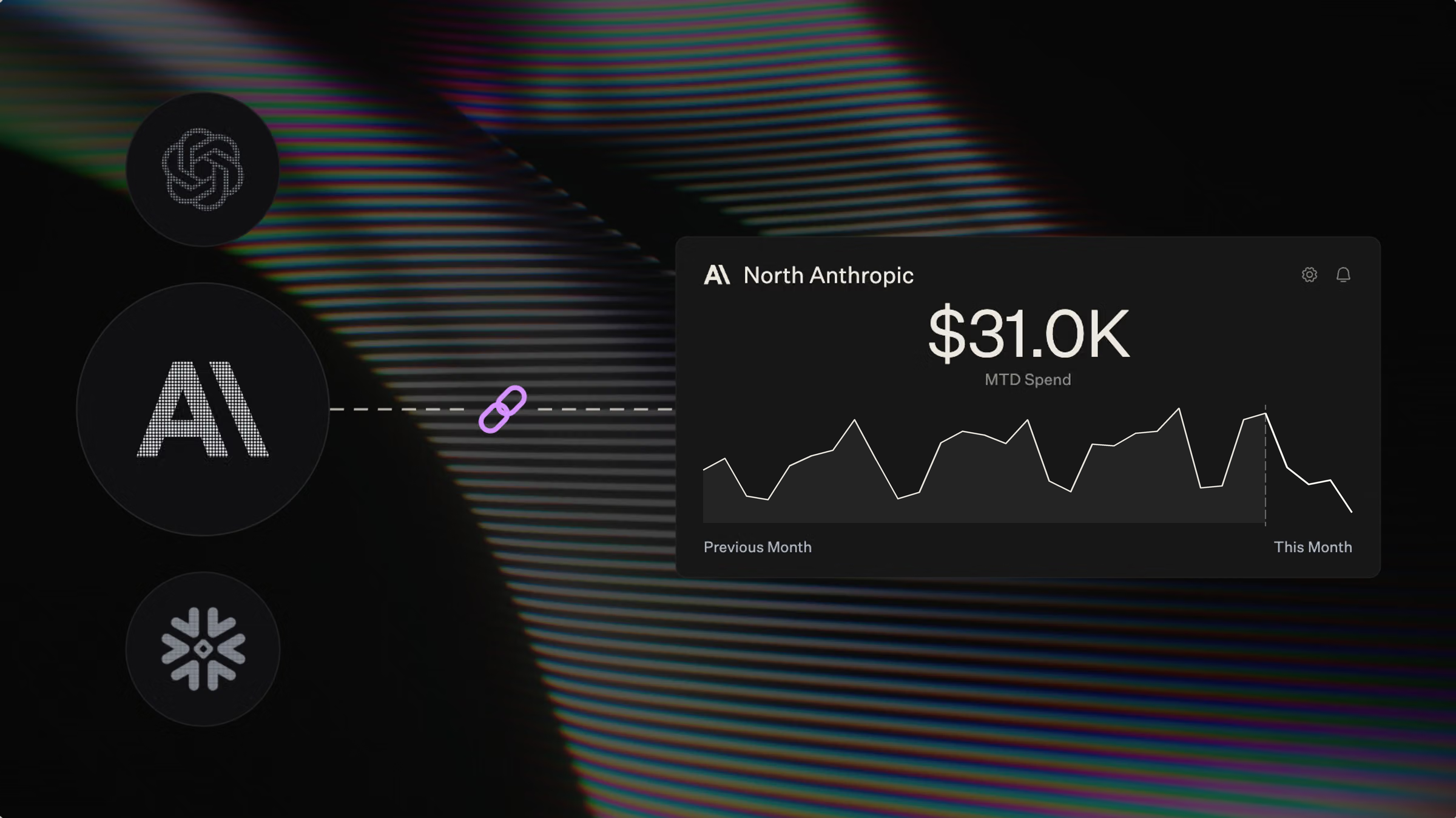
It first shows up on the homepage, right beside cloud spend. Anthropic stops being a separate login and becomes part of the daily spend picture. A card tracks this month’s Anthropic spend against last month’s, with alerts built in. When spend starts climbing mid-month, teams see it while there’s still time to act.
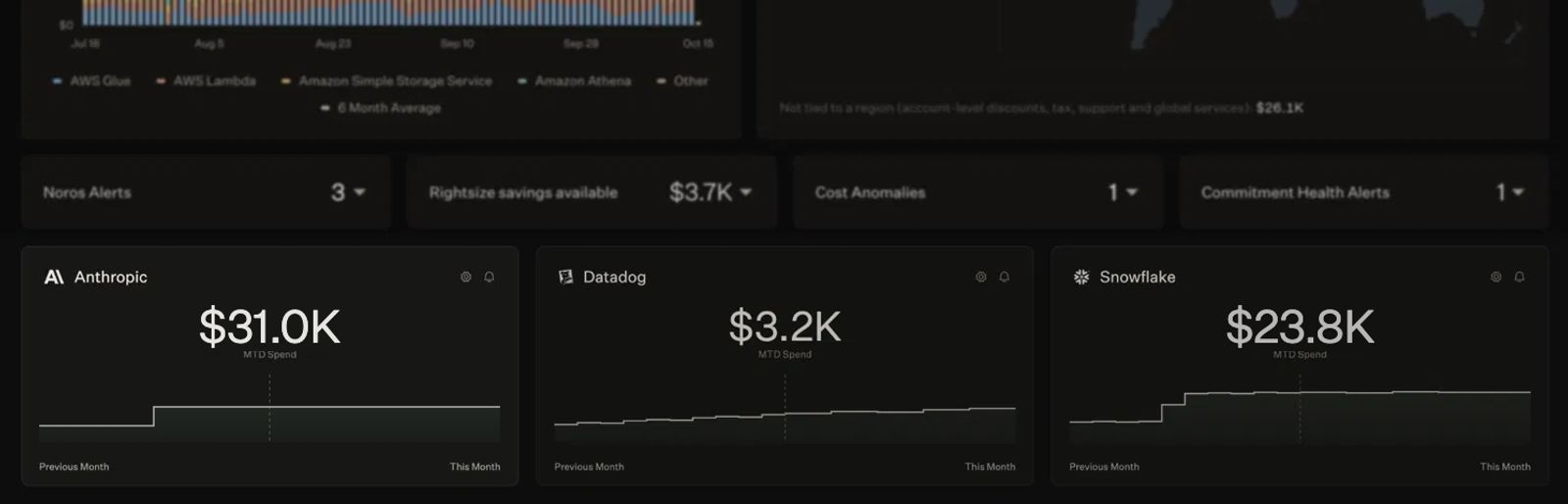
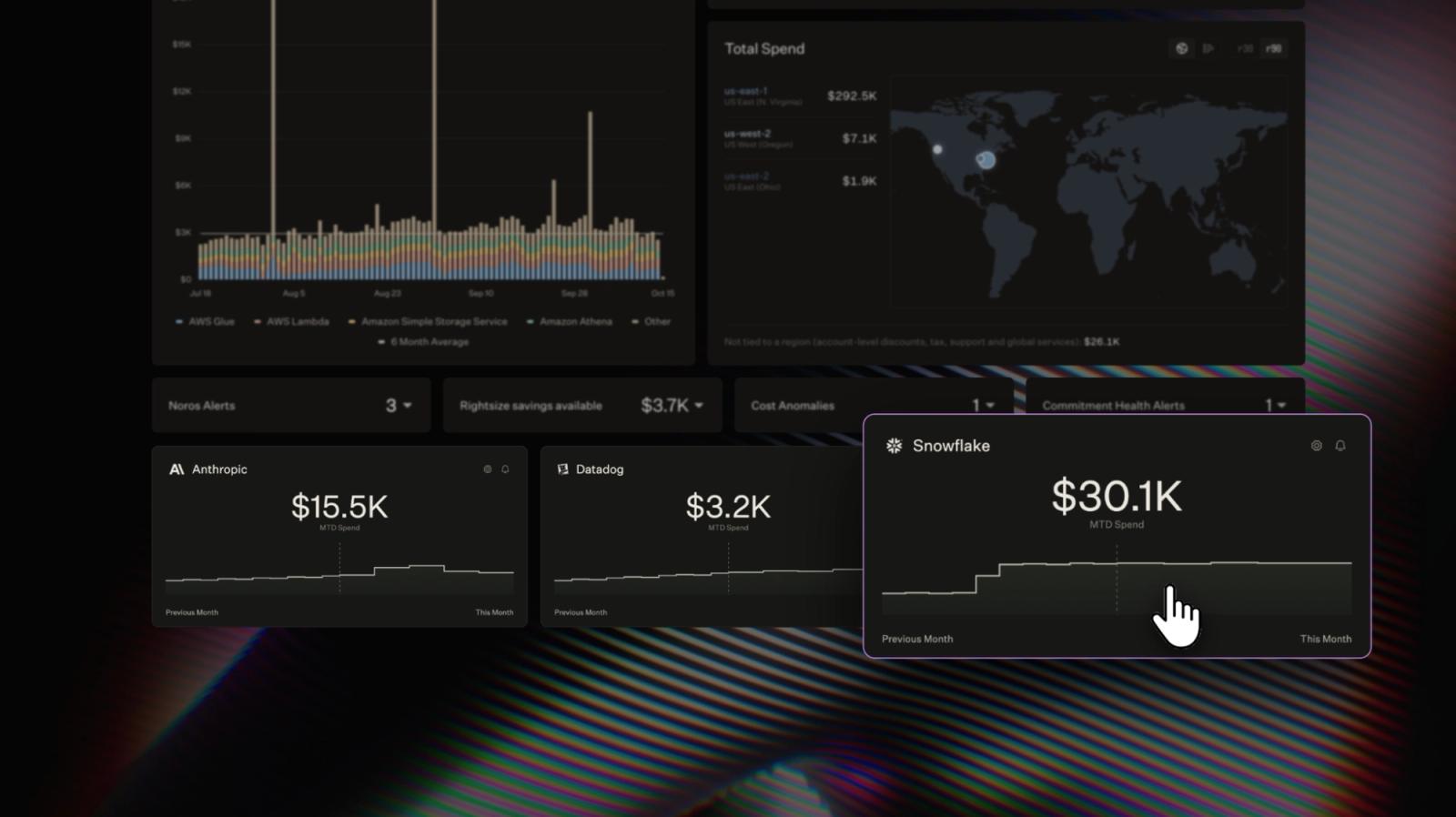
Anthropic’s month-to-date spend sits on North’s homepage, next to Datadog and Snowflake spend.
See which model drove a change
Teams usually switch Claude models for better results, but the switch changes cost too. Analyze, where teams break down and compare costs across providers, shows Anthropic beside cloud spend. Each Claude model version appears as its own line on the same chart. Tool charges, like web search, appear separately instead of hiding inside model spend.
Cloud spend on the same chart adds context the Claude Console can’t. If AWS spend holds steady while Claude spend jumps, traffic likely held steady too. That points to the model, not more usage, as the reason for the change.
Analyze can also put two months side by side. Comparing the month before an upgrade with the month after shows what changed. That gives engineering and finance a real number for the next model decision.
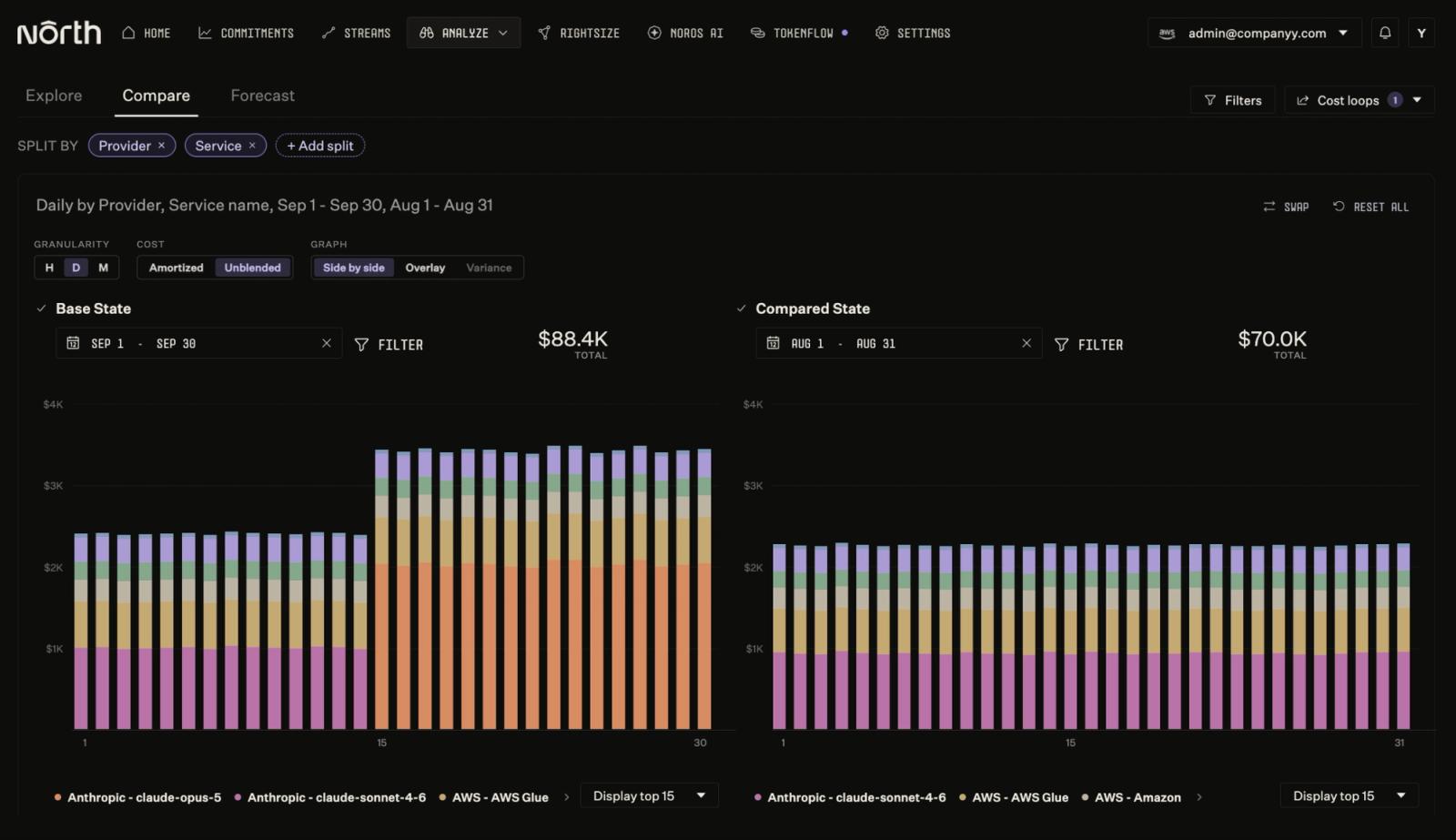
In this example, a team switches to claude-opus-5 on September 15. Anthropic spend jumps, while AWS spend holds steady.
Check whether prompt caching is paying off
Many Claude features send the same long instructions with every request. Without caching, Anthropic charges the full input rate for that text each time.
Prompt caching stores the repeated text once, then reuses it on later calls. Storing it, called a cache write, costs more than normal input. Each reuse, called a cache read, costs about a tenth of the normal rate. Send the same instructions 100 times, and that text costs roughly 89% less.
Those savings depend entirely on reuse. A small prompt change can stop reuse without any error or warning.
Coststreams, North’s cost allocation tool, splits each model’s spend by token type. Cache writes and cache reads then sit side by side for the same model.
In a healthy cache, reads far outnumber writes. When writes keep climbing and reads stay flat, the cache isn’t being reused. That usually means something in the prompt changes on every call, like a timestamp. Engineers then know exactly what to fix before the next bill.
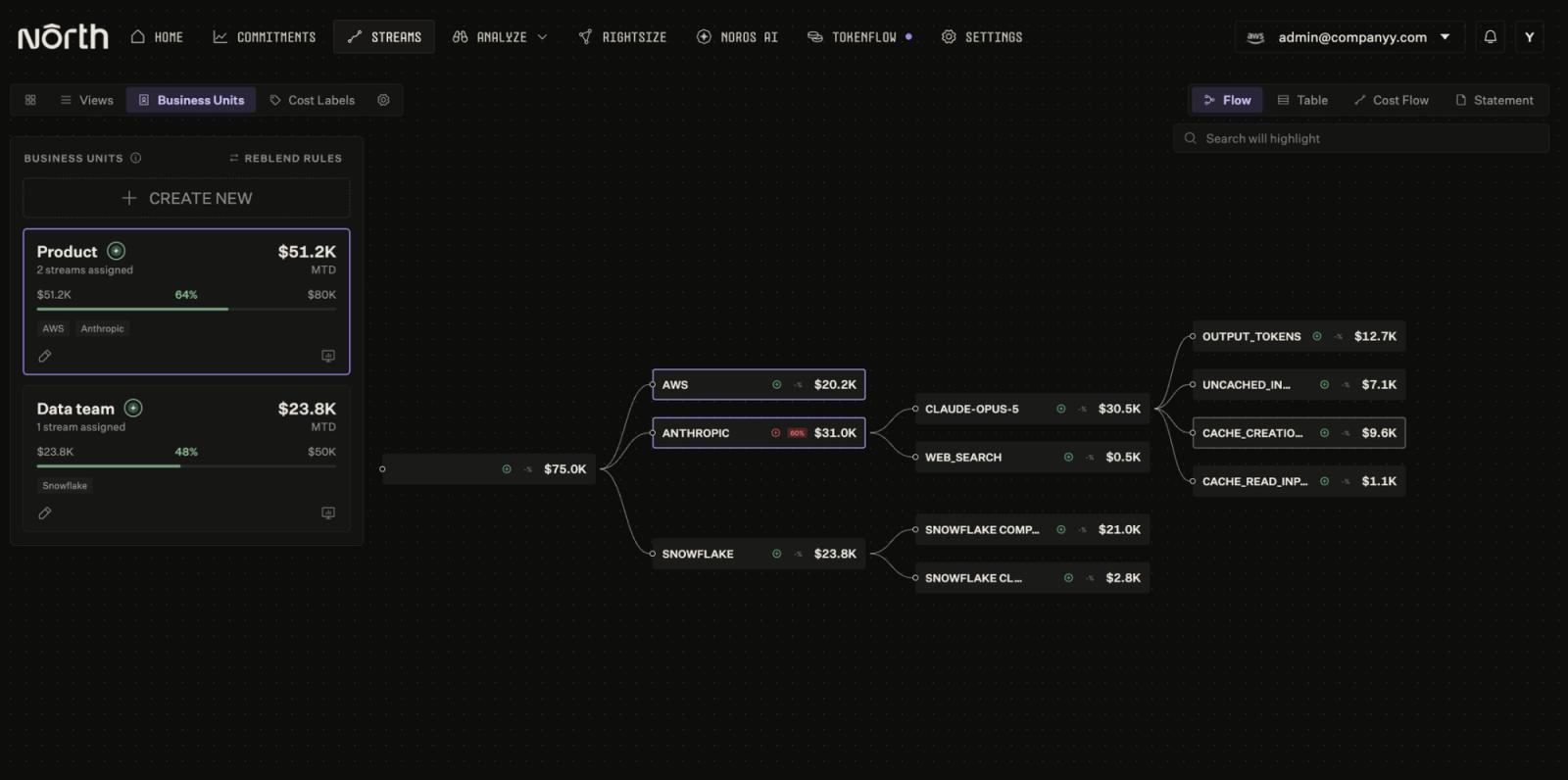
Selecting the Product business unit highlights its AWS and Anthropic spend. On claude-opus-5, cache creation far outpaces cache reads.
Allocate Anthropic spend alongside cloud spend
Spend is easiest to manage when someone clearly owns it. Coststreams brings cloud and Anthropic spend into one view, organized into business units (BUs). Each BU groups the spend of one team or product, across every provider.
That puts Claude spend in the same allocation model as the cloud resources it runs on. Leaders can see whether AI or infrastructure is driving a team’s growth in spend. Finance and engineering review both through one structure instead of two, without a separate spreadsheet.
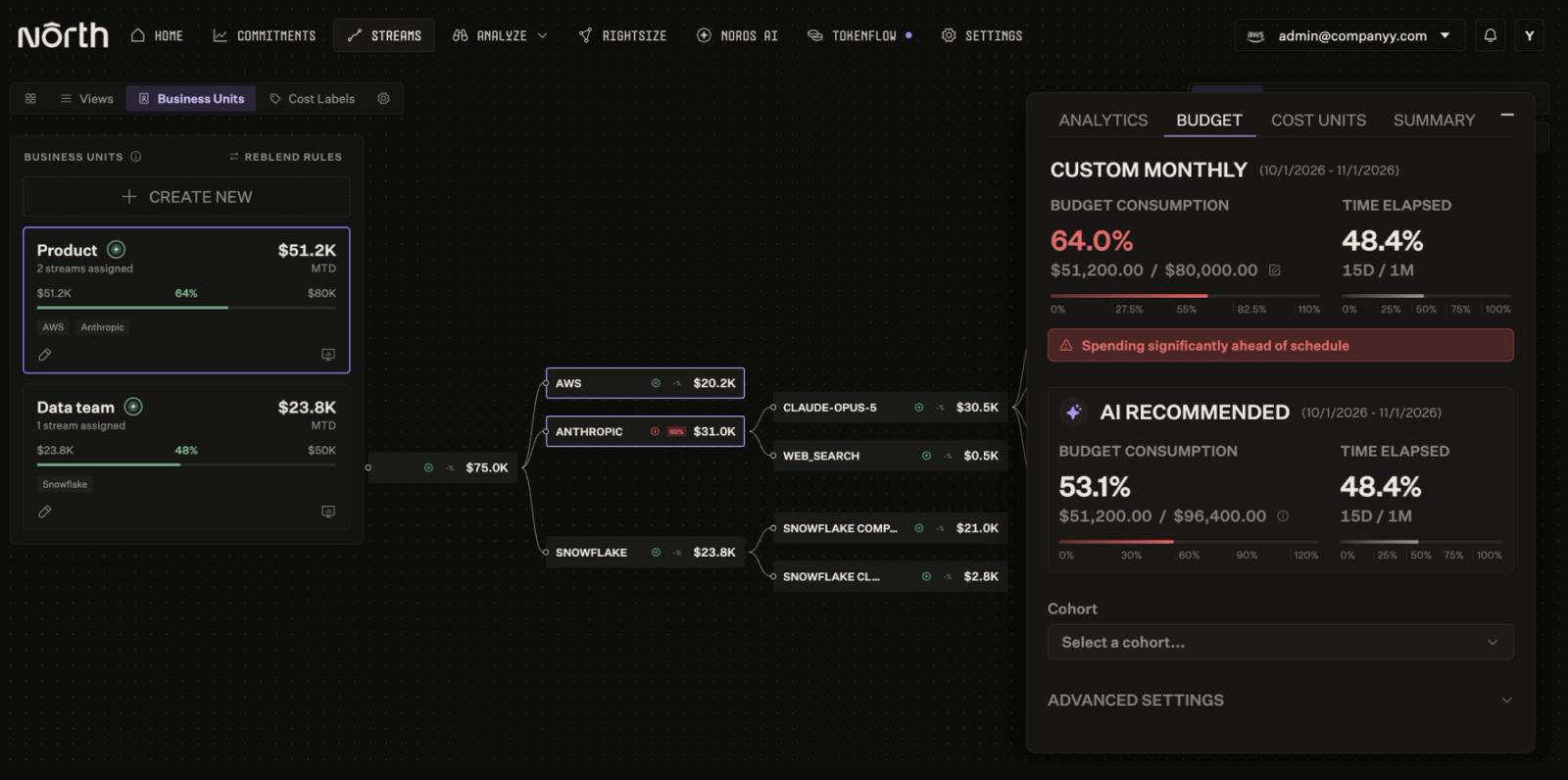
Product’s budget counts its Anthropic spend. North flags that the team is spending ahead of schedule.
Ask Noros in plain language
Spend questions often come up mid-conversation, like during a model review or budget check. Noros, North’s FinOps Agent, answers them in plain language from the same data. A question like “Show my Anthropic cost by model for September” returns the model breakdown.
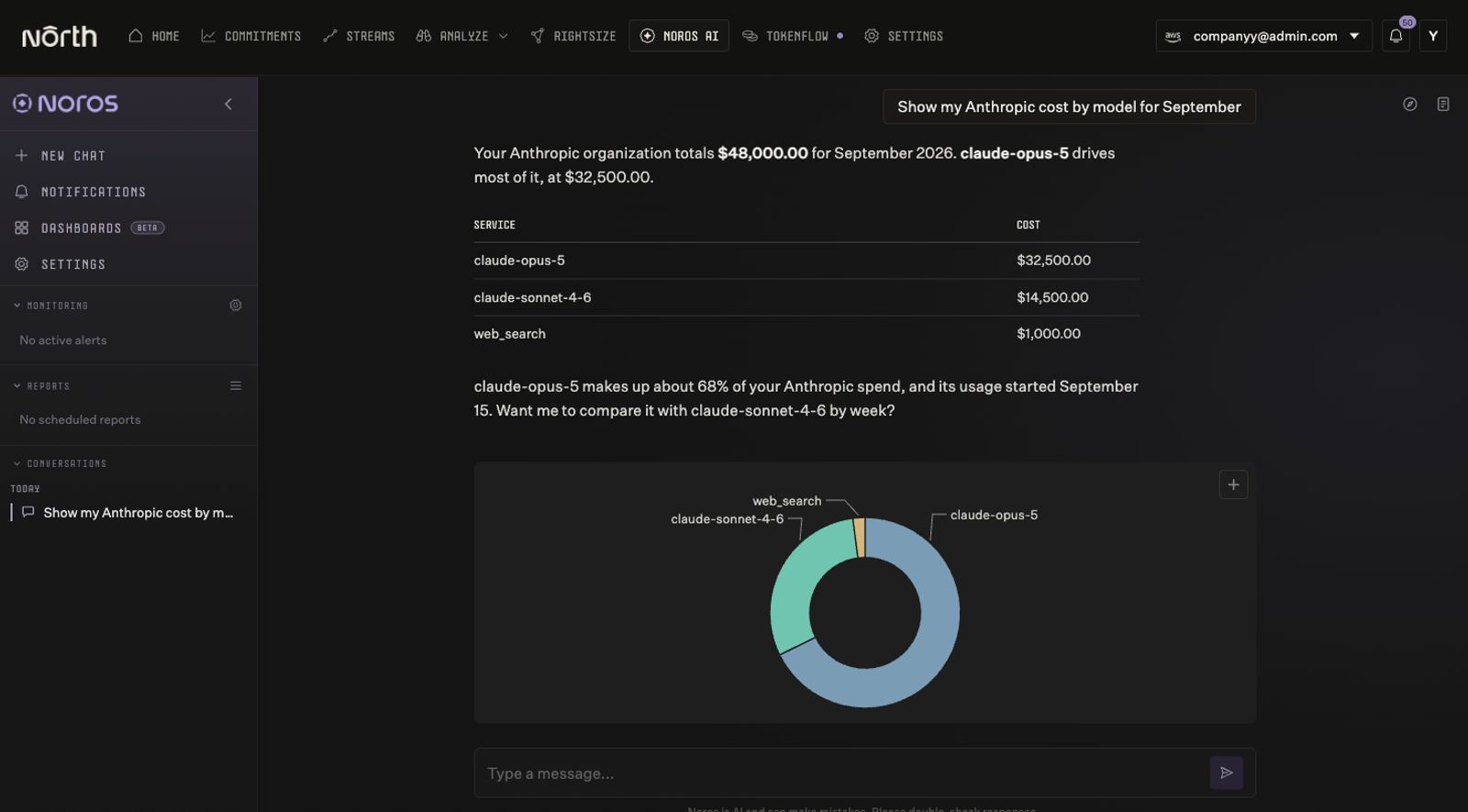
Noros breaks down September’s Anthropic spend by model and notes when claude-opus-5 began.
What’s next
With Anthropic connected, Claude usage sits beside your cloud and data costs. Databricks and MongoDB Atlas will join that view next, as we keep adding platforms.
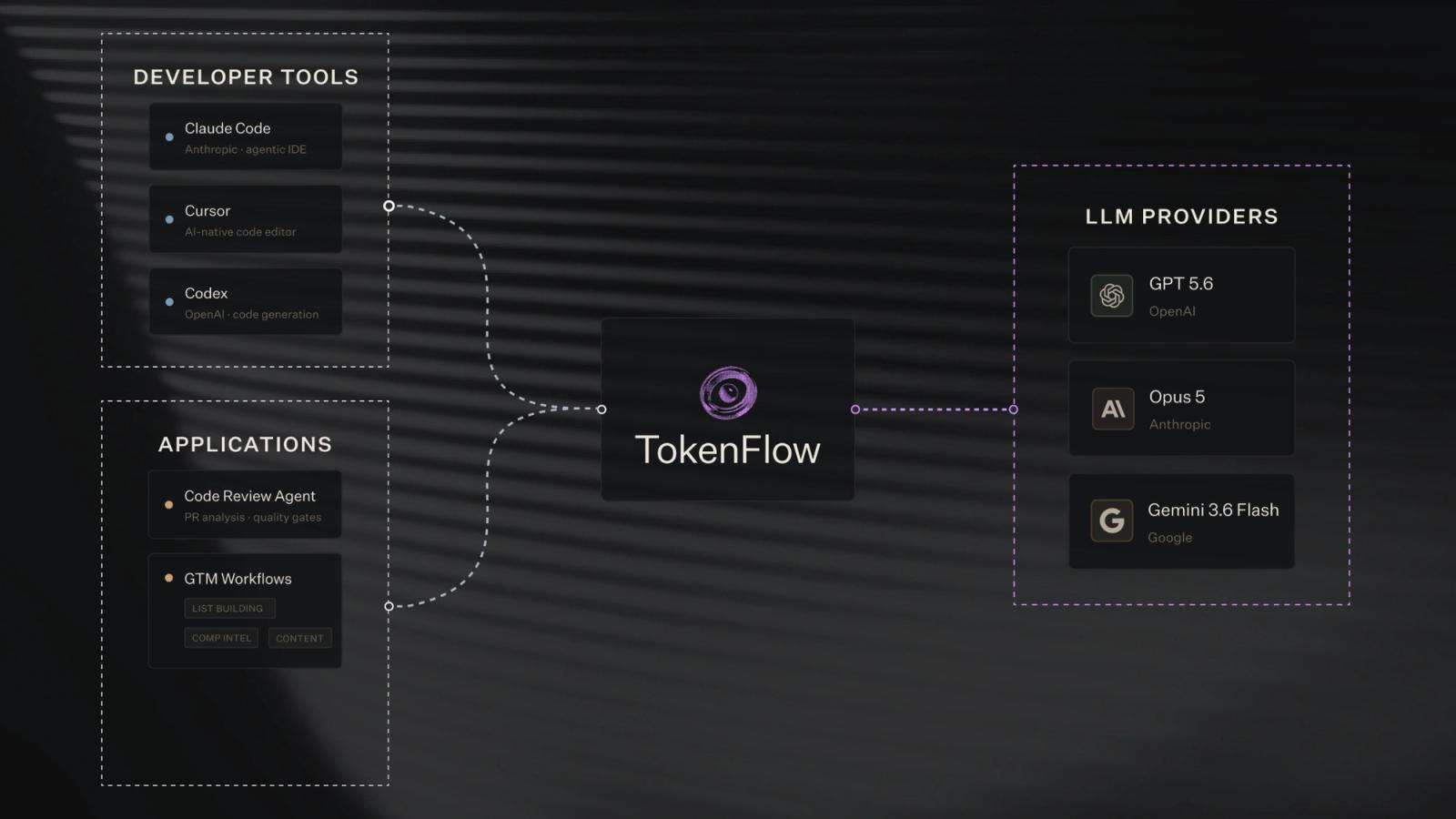
Seeing what Claude costs by model and token type is only the first layer. The next one is what we’re most excited about. TokenFlow, North’s upcoming product for AI token spend, goes a level deeper. It ties token usage to the work that drove it. The waitlist is open now, so save your spot to get in early.
Already on North? Add Anthropic from the Integrations page in Settings. North only reads usage and cost, so nothing in Anthropic changes.
North’s free tier includes full visibility into Anthropic and every other CostLoop. Explore North’s free tier to see your Anthropic spend in context with the rest of your stack.