-
6 min read
North now supports OpenAI cost visibility, from model to business unit

If you run OpenAI in production, the bill covers a lot more than model tokens. Retrieval, tool calls, images, and audio all add their own charges as your apps grow.
Take a customer support assistant as an example. A single reply might call a model, search stored files, and run a web search. Each step bills on its own, under the project your team created for the app.
So when that assistant’s spend climbs, the project total can’t tell you which step drove it. Finance also has to work out which team owns that spend. Then there’s the cloud infrastructure the app runs on, which sits on a separate bill.
Today, North brings that spend together in one place. It reads OpenAI usage and spend across your whole organization. You can see it by model and project, and roll it up to the teams that own it.
Why OpenAI spend gets harder to read as you scale
An OpenAI bill gets harder to explain as more of your product depends on it. Three patterns tend to show up as usage grows.
Each meter grows for a different reason
Your OpenAI bill blends several kinds of usage, each priced on its own terms. Model tokens tend to scale with how often people use a feature, while storage and tool charges depend more on how it was designed.
So two months with the same traffic can still produce very different bills. A team that adds web search to an existing workflow changes the bill, even when traffic holds flat.
Projects reflect how engineers build
OpenAI projects are a practical way to keep apps, environments, and keys separate. Teams and cost centers sit outside that structure, so the mapping to the business happens somewhere else.
As projects multiply, keeping that mapping current takes more manual work. Shared projects add another layer, since one project can serve several products at once.
AI spend rarely sits with one provider
Many teams run OpenAI alongside Anthropic, or reach models through Amazon Bedrock. Each provider reports in its own console, with its own units and structure.
Seeing total AI spend, or comparing providers, means pulling those reports together by hand. By then, the numbers are often a month old.
What you get with OpenAI spend in North
North reads your OpenAI usage and spend directly, across every project in your organization. It places that data in the same structure you already use for cloud spend.
Here’s how that addresses each of those patterns:
- Every meter, broken out. Spend splits by model version and token type, including input, cached input, and output. North also reads usage for embeddings, images, audio, file search, and web search. A design change then shows up as clearly as a rise in traffic.
- Projects, ready to assign. Each OpenAI project carries into North as a linked account, where you assign it to a business unit.
- OpenAI next to your other providers. OpenAI spend shares the same charts and filters as Amazon Web Services (AWS), Google Cloud Platform (GCP), and Microsoft Azure, along with Anthropic, Snowflake, and Datadog if you’ve connected them. Cost updates daily, so comparisons reflect this month instead of last.
Connecting OpenAI takes one Admin key. North then reads cost and usage across every project and never changes anything in your account. The OpenAI setup guide walks through each step.
Here’s what that visibility looks like when OpenAI spend jumps mid-month.
Following OpenAI spend from the bill to the business
Consider the customer support assistant from earlier, the one that calls a model, searches files, and runs web searches. Halfway through the month, its OpenAI spend starts climbing faster than usual.
Because North tracks OpenAI spend daily, the climb shows up early in your total OpenAI spend. Comparing this month to last tells you spend is running ahead of pace, well before the invoice arrives.
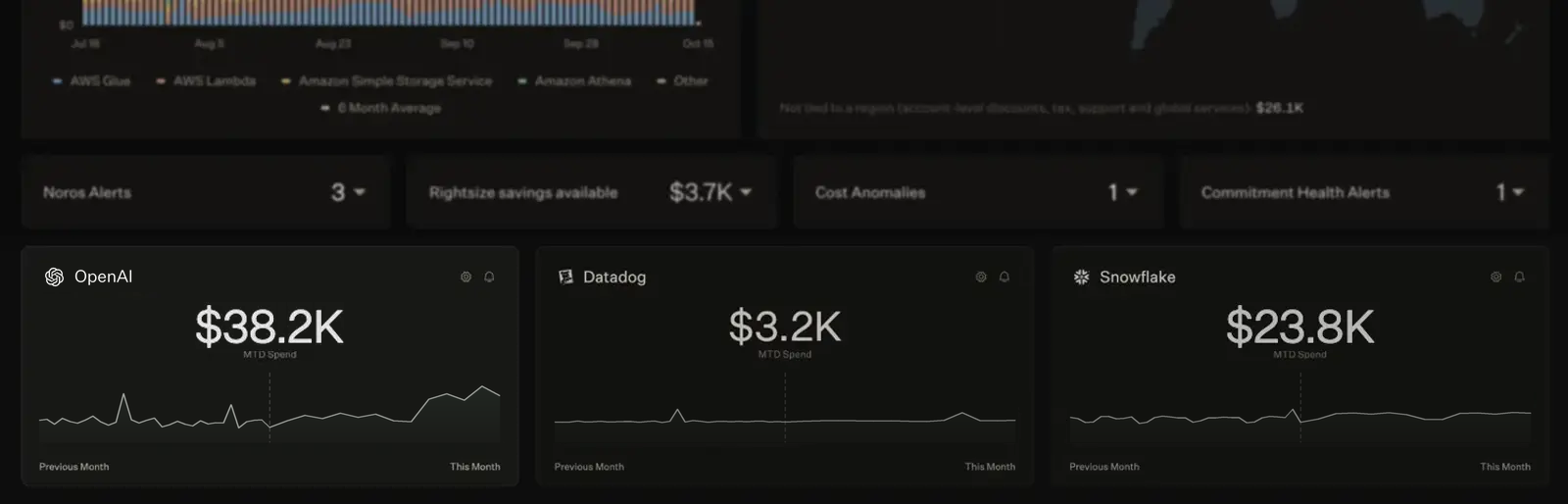
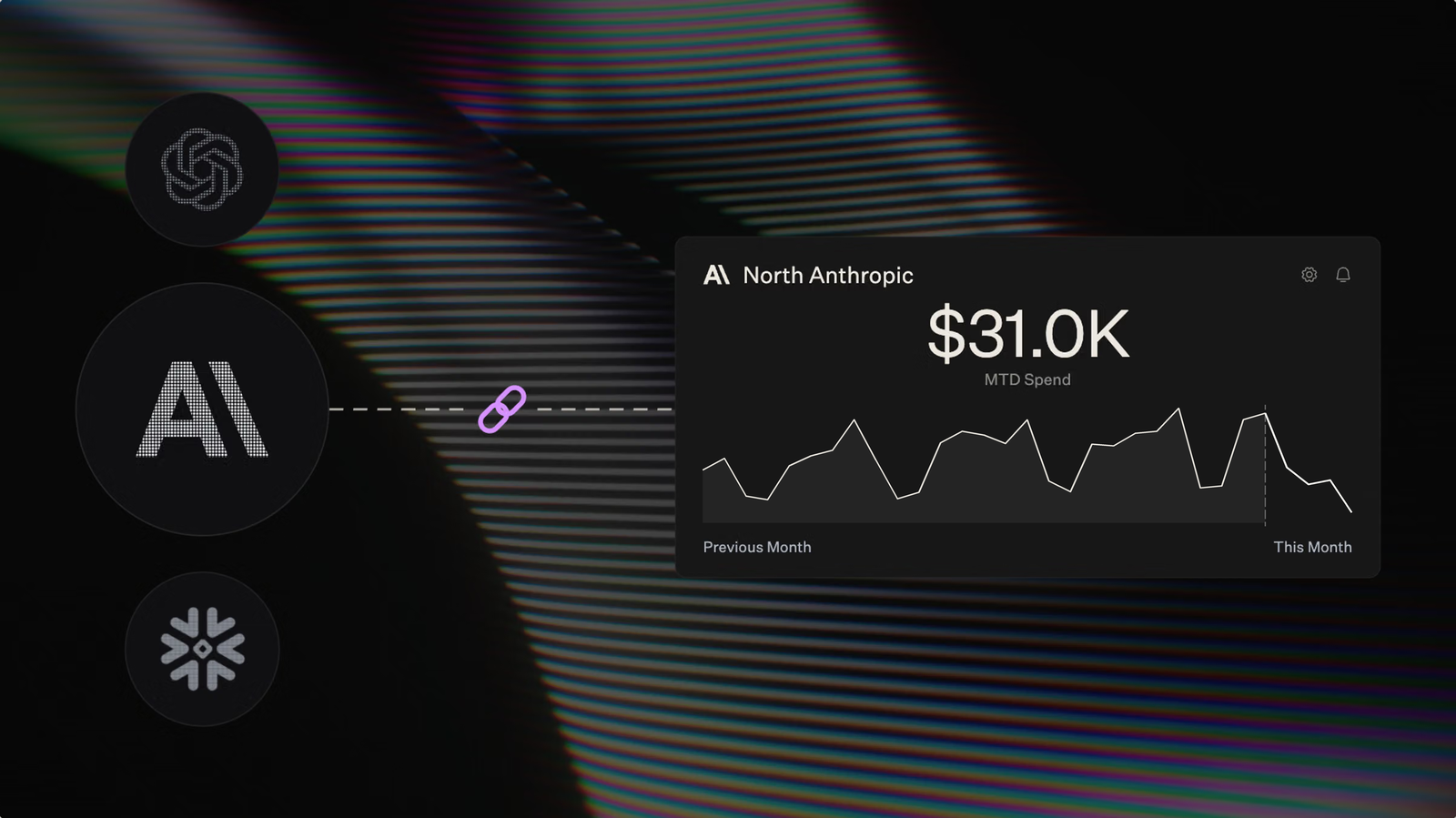
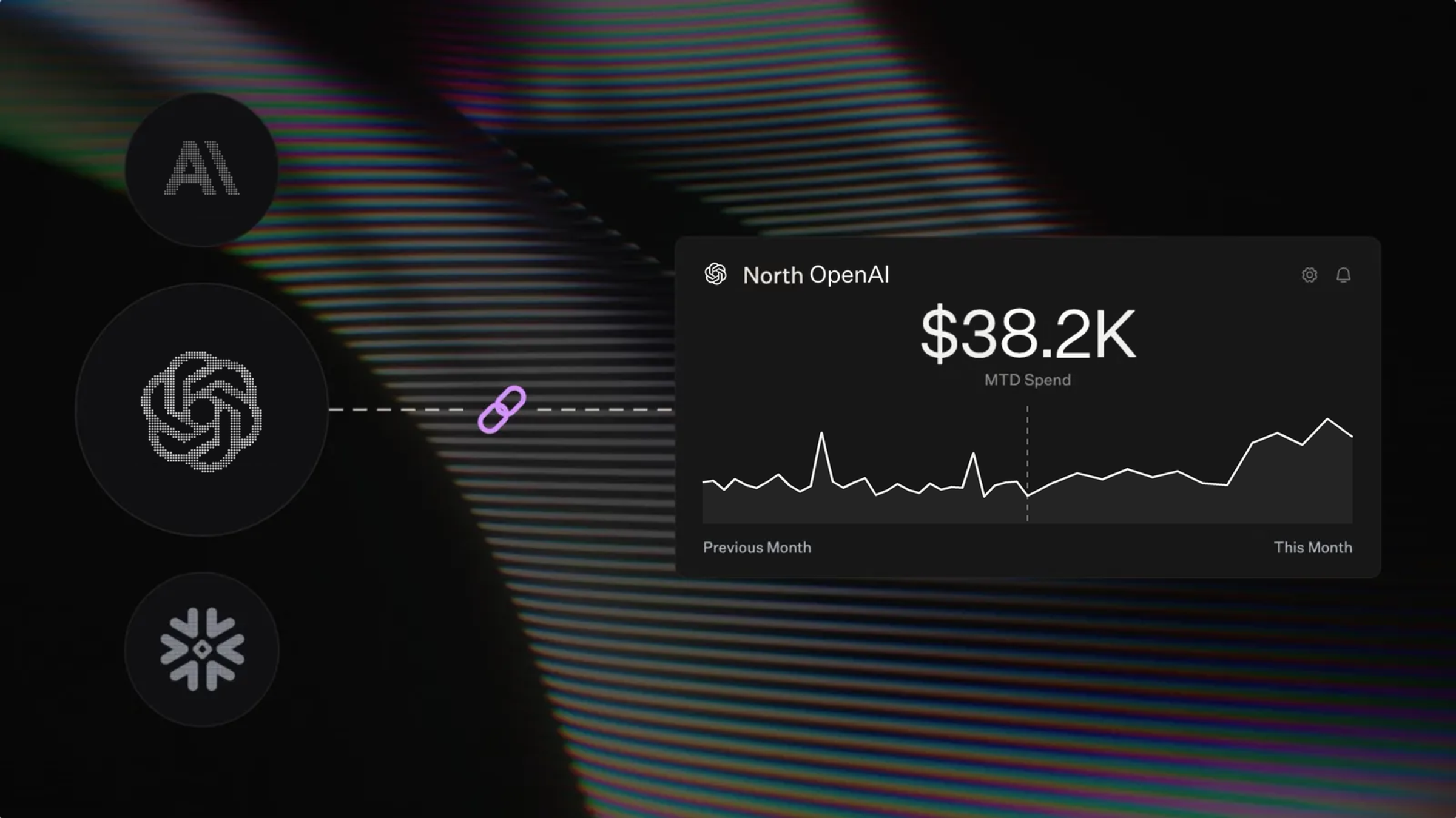
OpenAI spend sits beside Datadog and Snowflake on the North homepage, where this month’s climb stands out against last month.
Narrow the jump to its source
Finding the cause starts with separating the assistant from everything else on OpenAI. In North, each OpenAI project shows up as a linked account. Grouping spend by linked account in North’s Analyze sets the assistant apart from every other app your teams run.
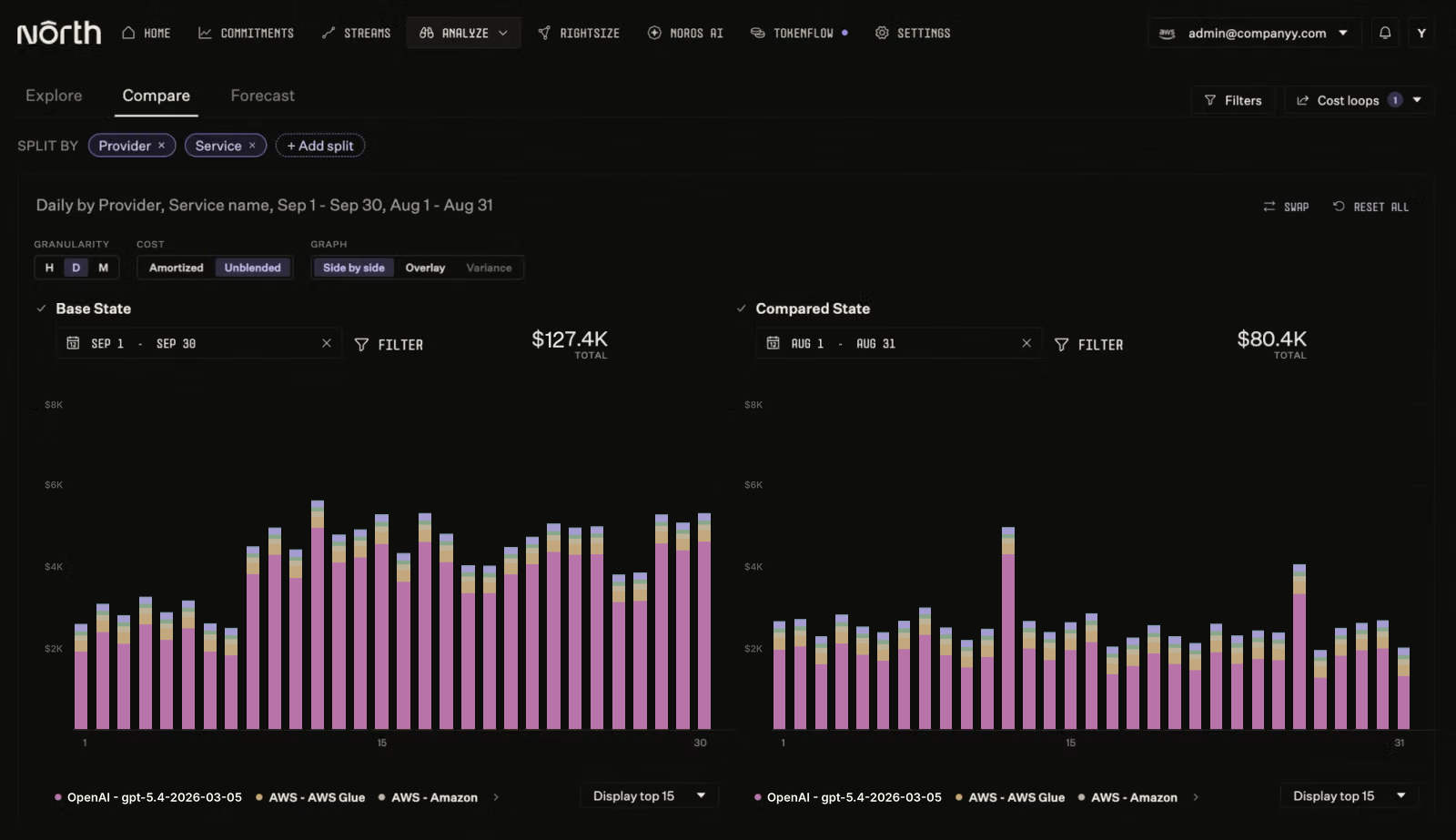
In North’s Analyze, OpenAI spend on the same model steps up in September’s second week while AWS spend holds flat, compared side by side with August.
From there, breaking the assistant’s spend down by model version and token type shows whether a model change, longer prompts, or longer replies drove the jump. Comparing recent months then shows whether the shift is new or part of a longer trend.
Put the cost on the right team’s budget
Finance already knows who owns the jump, because the assistant’s project sits with its team. Coststreams, North’s cost allocation view, groups the OpenAI project with the AWS resources that run the app.
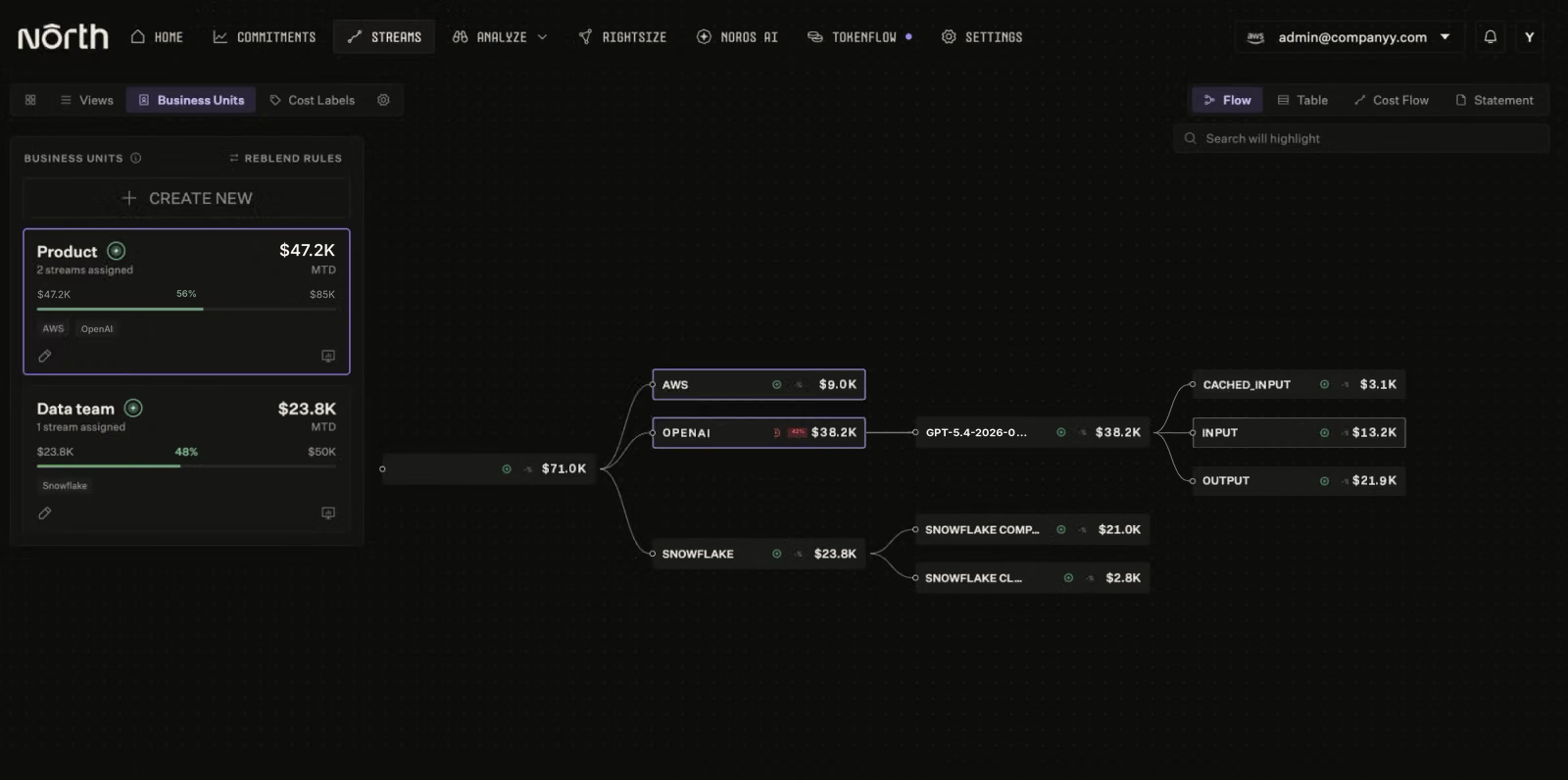
In Coststreams, the Product team’s OpenAI and AWS spend roll up into one business unit and budget, with OpenAI broken down by model and token type.
The jump lands against that team’s budget, with model costs and infrastructure in one total. The team lead’s showback reflects the assistant’s full cost, not just the OpenAI line.
See AI spend across every provider
When one assistant’s costs jump, leadership’s next question is bigger: what’s happening with AI spend overall?
Seeing OpenAI, Anthropic, and AWS side by side in North shows how each provider’s spend has trended over recent months. To plan ahead, you can forecast spend for a single provider or linked account. Next quarter’s AI budget then starts from real numbers.
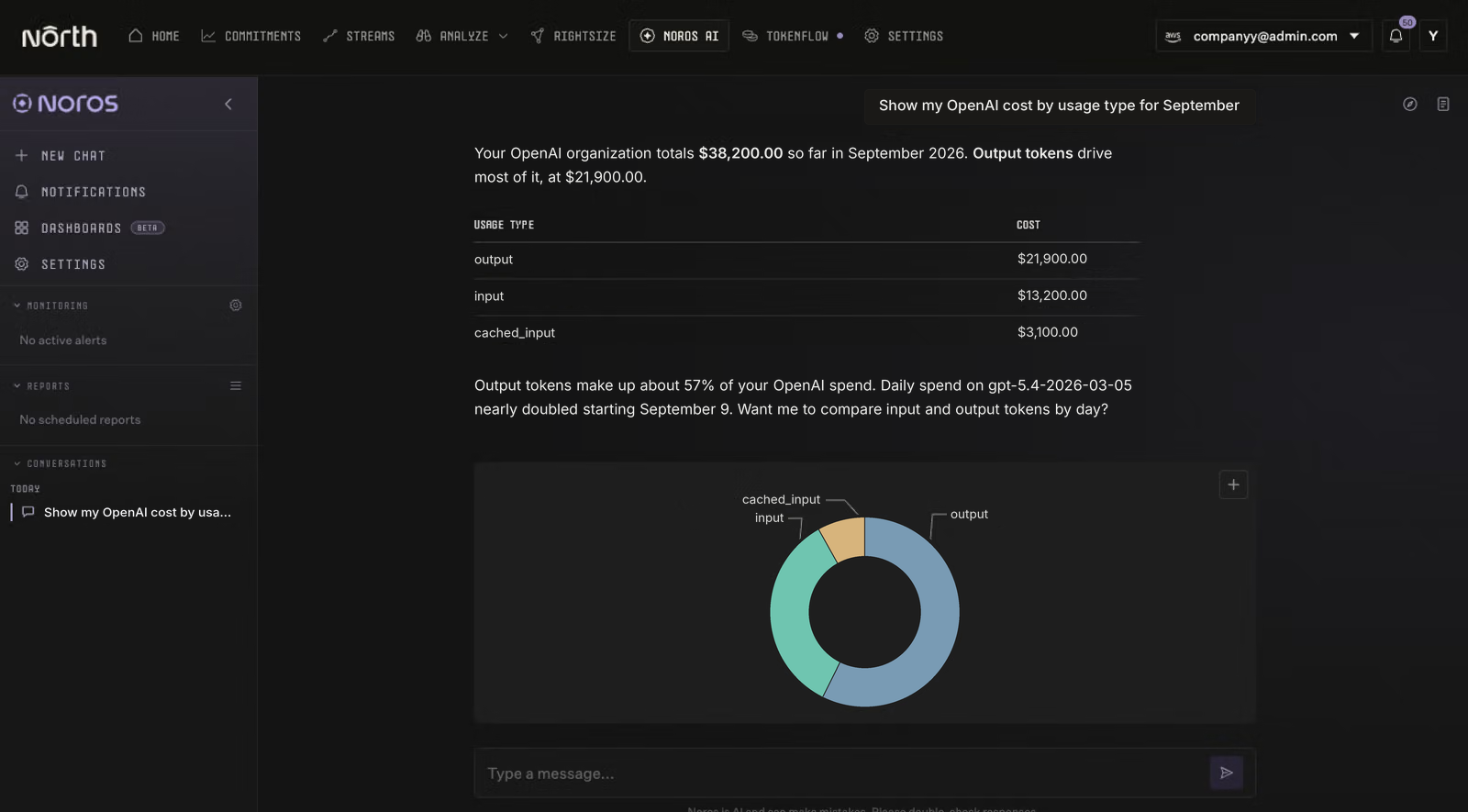
Noros, North’s FinOps Agent, breaks down September’s OpenAI spend by usage type and points to the day it jumped.
You can also ask Noros, North’s FinOps Agent, something like “Show my OpenAI cost by usage type for September,” and get the answer in plain language.
Give every OpenAI dollar an owner with North today
OpenAI visibility is live now on every plan, including North’s free tier. One connection brings in every project in your organization, with spend split by model and token type.
More is on the way, with Databricks and MongoDB Atlas coming next, so lakehouse and database spend will join your cloud and AI costs. Each one lands in the same budgets and business units your teams already use.
Already a North customer? Connect OpenAI from Integrations in Settings, then assign each project to a team. Any project left without an owner is spend nobody is planning for yet.
New to North? Explore our free tier to see your OpenAI spend alongside your cloud and AI costs.