
Catch cost anomalies before the bill.
Anomalies tracks usage, spend, and historical patterns continuously to flag spikes at the resource level, with the root cause, confidence level, and historical baseline already attached.
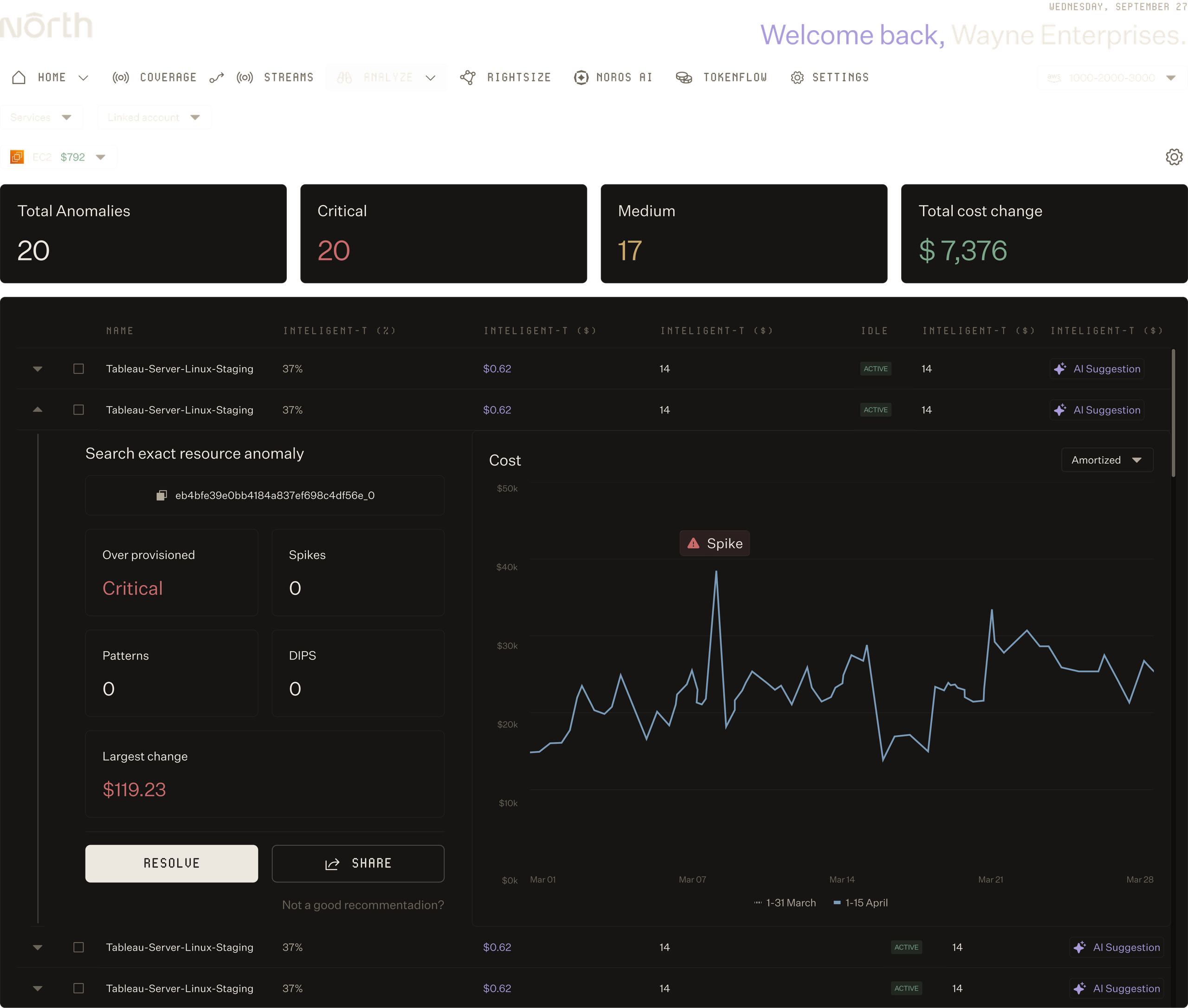

Precision alerting with full context.
Actionable alerts with severity, cost impact, and root-cause context already attached.
Actionable alerts with severity, cost impact, and root-cause context already attached.
Cut through the noise
Anomalies tunes to your environment automatically, suppressing routine patterns so the alerts you see are the ones worth acting on.
Manage anomalies in one place
Every anomaly surfaces with severity, cost impact, and a path to resolution, giving your team needs to act fast.
Understand what drove the change
Drill down to the resource, the usage type, and the historical baseline behind every anomaly, with the Noros agent on hand to answer follow-up questions.
FT. 01
Spot what matters the moment it happens.
SURFACE ANOMALIES INSTANTLY.
Cut through routine spikes
Anomalies automatically suppresses alerts for expected patterns like new deployments, scheduled jobs, and known spend cycles, so you only see anomalies worth investigating.
Get alerts in real time
Receive alerts in Slack, email, and the North app the moment an anomaly is monitored, with no polling, batch delays, or end-of-day surprises.
Set thresholds that match your team
Adjust minimum dollar alerts, sensitivity, and alert volume in preferences to match your team's bandwidth, without engineering involvement.
FT. 02
Triage, resolve, and track every alert in one place.
RESOLVE ALERTS FAST.
See severity at a glance
View every open anomaly ranked by severity and cost impact, so your team works the highest-stakes alerts first.
Triage in the tools you already use
Share, escalate, and collaborate on any anomaly in Slack, email, or Jira with a single click, with full context and resource metadata included.
Mask anomalies you know are safe
Suppress anomalies you've already reviewed, log the reason, and keep an audit trail for compliance, team handoff, and model training.
FT. 03
See the why behind every alert.
GET TO THE ROOT CAUSE.
Drill down to the resource
Pinpoint outliers down to the individual resource with hourly and daily analysis, catching issues that service-level or account-level monitoring would miss.
Understand what type of anomaly fired
See whether the alert is a cost spike, a sudden change, or a dip, with the statistical context behind it.
Ask follow-up questions with Noros
Pair any anomaly with Noros, North's AI agent, to ask deeper questions about root cause, related resources, and historical context in plain language.
Trusted to catch what others miss.

North took 5 minutes to setup and showed me we could save 40%. To this day, it's the fastest & clearest demo of ROI I have ever seen in business.”
North is helping us get the right reservations and savings plans in place as we stabilize our infrastructure. And down the line, we’ll look at extending this strategy even further.”
The flexibility and ease of integration really stood out. If someone told me from the start it would be this easy to try, use, and save, I wouldn’t have believed them. But it is. And the savings are real.”

Catch anomalies sooner.
Start using North's Anomalies capabilities today.
FAQs
Find answers to commonly asked questions about Anomalies.
What is Anomalies?
Anomalies is North's anomaly detection engine. It continuously tracks your cloud usage, spend, and historical patterns at the resource level—catching cost spikes, sudden changes, and drop-offs the moment they happen. Anomalies surface with severity, cost impact, root cause, and historical baseline already attached, so your team can investigate and resolve fast without the noise of false positives.
How does Anomalies avoid alert fatigue?
Anomalies automatically tunes to your environment, suppressing alerts for routine patterns like new deployments, scheduled jobs, and known spend cycles. This means you only see anomalies that are genuinely worth investigating. You can further customize alert sensitivity, minimum dollar thresholds, and alert volume in preferences to match your team's bandwidth—no engineering required.
Can Anomalies catch issues that other tools miss?
Yes. Most monitoring solutions work at the account or service level, missing subtle resource-level anomalies. Anomalies analyzes hourly and daily usage at the resource level, pinpointing outliers that service-level or account-level tools would miss entirely. When an anomaly is detected, Anomalies drills down to the specific resource and usage type driving it, so you see the full picture.
How do I investigate and resolve anomalies once they’re detected?
Every anomaly surfaces in your dashboard ranked by severity and cost impact. They can also be routed to your Slack or email, so you get notified wherever you work. Click into any alert to see the resource, usage type, historical baseline, and statistical context behind the detection. Share anomalies instantly to Slack, email, or Jira for quick triage. Once you've reviewed an anomaly, mask it and log the reason—that feedback trains Anomalies' ML models to improve for your environment.
Does Anomalies improve over time?
Yes. When you resolve, mask, or mark anomalies as not relevant, that data retrains Anomalies' ML models for your specific environment. Over time, alerts become more accurate and tailored to your organization's patterns and risk tolerance. This continuous learning means fewer false positives and higher-confidence detections as the system learns what normal looks like for your workloads.