
Keep every workload rightsized.
Rightsize watches your cloud infrastructure in real time and recommends the optimal size for every resource, with the analytics, risk context, and savings impact behind every call.
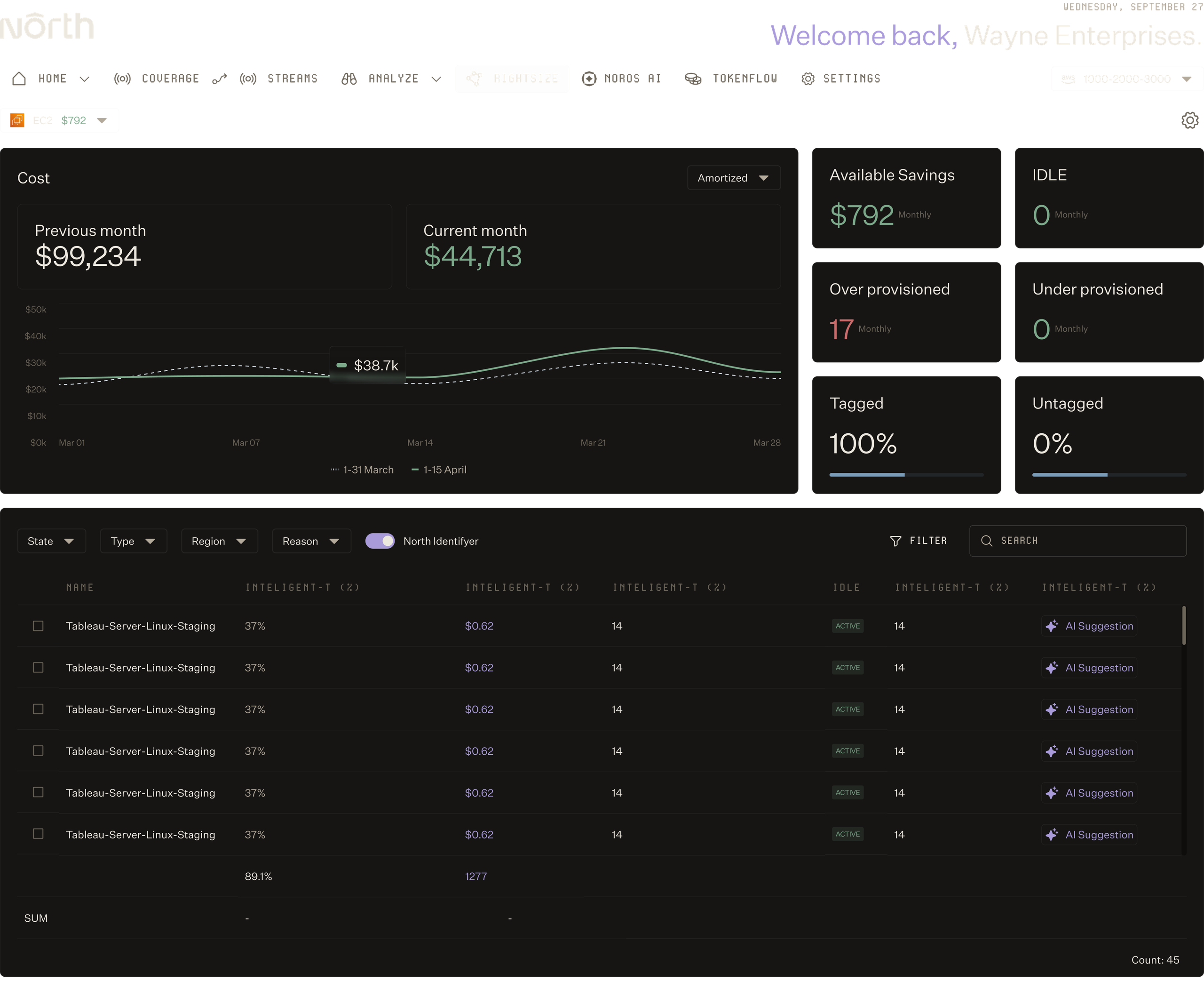

Cut compute spend. Prove the impact.
Rightsize cuts compute spend 10-15% with defensible, workload-aware recommendations.
Rightsize cuts compute spend 10-15% with defensible, workload-aware recommendations.
Cut compute spend
Most customers save 10-15% on compute by acting on Rightsize recommendations, without disrupting workloads or slowing teams down.
Protect performance
Every recommendation accounts for real workload behavior, so you optimize without breaking anything.
Build the case for change
Every recommendation comes with the projected savings, the rationale, and the analytics behind it, so the case for change is always defensible.
FT. 01
See where waste lives in your infrastructure.
Surface Waste Automatically.
Find available savings at a glance
Open Rightsize and see the dollar value of every recommendation across your environment, ranked by impact, so you know where to focus first.
Spot idle and zombie resources
Surface resources sitting unused, including idle instances, orphaned volumes, and zombie services racking up cost for no reason.
Catch untagged resources
See every resource missing tags so cost can be allocated correctly and ownership is never ambiguous.
FT. 02
Find what to resize without the manual work.
Rightsize Every Workload.
Catch overprovisioning right away
Rightsize watches your infrastructure continuously, so you skip the spreadsheet pulls and stale snapshots.
Resize across every workload
Get recommendations for compute, storage, serverless, and auto-scaling resources, with idle resources flagged automatically.
Read real workload behavior
Recommendations are based on how a workload actually runs, not static CPU thresholds that miss the bigger picture.
FT. 03
Make every change with confidence.
Act on AI Insights.
Set your team's risk tolerance
Tune how aggressive recommendations are by team, account, or environment, so prod gets treated differently than dev.
Preview every change before you act
See what's changing, how much effort it takes, and what the savings will be before anything moves.
Route changes to the right team
Send recommendations to Slack, Jira, or email in bulk, with the full context and rationale attached, so the right engineers can act on them.
A rightsizing tool that pays for itself.

North took 5 minutes to setup and showed me we could save 40%. To this day, it's the fastest & clearest demo of ROI I have ever seen in business.”
North is helping us get the right reservations and savings plans in place as we stabilize our infrastructure. And down the line, we’ll look at extending this strategy even further.”
The flexibility and ease of integration really stood out. If someone told me from the start it would be this easy to try, use, and save, I wouldn’t have believed them. But it is. And the savings are real.”

Rightsize with confidence.
Start using North's Rightsize capabilities today.
FAQs
Find answers to commonly asked questions about Rightsize.
What is Rightsize?
Rightsize is North's ML-driven rightsizing engine. It continuously monitors your AWS and GCP infrastructure to identify overprovisioned and underprovisioned resources, then delivers AI-driven suggestions to rightsize them for cost savings or performance gains. Unlike one-time analyses, Rightsize gets smarter with every recommendation you implement, automatically retraining on real outcomes to sharpen future suggestions.
How much can I save with Rightsize?
Most teams save 10–15% of compute spend by implementing Rightsize recommendations. Exact savings depend on your current infrastructure state and how aggressively provisioned your resources are. Rightsize calculates estimated monthly savings for each recommendation, so you know the ROI before you implement anything.
Which cloud providers does Rightsize support?
Rightsize currently works with AWS and GCP. We're actively building Azure support and expect it to be ready soon. If you have questions about timeline or need Azure rightsizing in the interim, reach out to hello@north.cloud or speak with your customer success manager.
How is Rightsize different from generic rightsizing tools?
Generic tools apply static rules to your infrastructure. North.cloud’s Rightsize adapts. It ingest your real-world metrics, detects workload variability and seasonality, and generates recommendations specific to your usage patterns. It also tracks whether recommendations actually delivered on their promise, then uses that data to sharpen future suggestions.
Can Rightsize handle my workloads if they're unpredictable or seasonal?
Yes. Rightsize analyzes usage trends, spikes, and troughs over a configurable lookback period (14, 32, or 93 days). It flags anomalies and adjusts for seasonality automatically. You can also set custom CPU and memory headroom thresholds to match your risk tolerance, so recommendations account for variability you care about.
Does Rightsize automatically change my machine architectures?
No. Rightsize identifies optimization opportunities and generates recommendations, but doesn't execute changes automatically. You review suggestions, then push change tasks to your dev team via Slack, Jira, or email. We're building a fully automated version of Rightsize as an optional service for teams that want North to execute changes directly.
How long before I see results?
Rightsize begins analyzing your infrastructure immediately after you connect North. Most teams see their first batch of recommendations within hours, though deeper insights emerge over the first 2–4 weeks as the system builds a fuller picture of your workload patterns.