-
5 min read
North now supports full visibility for Snowflake

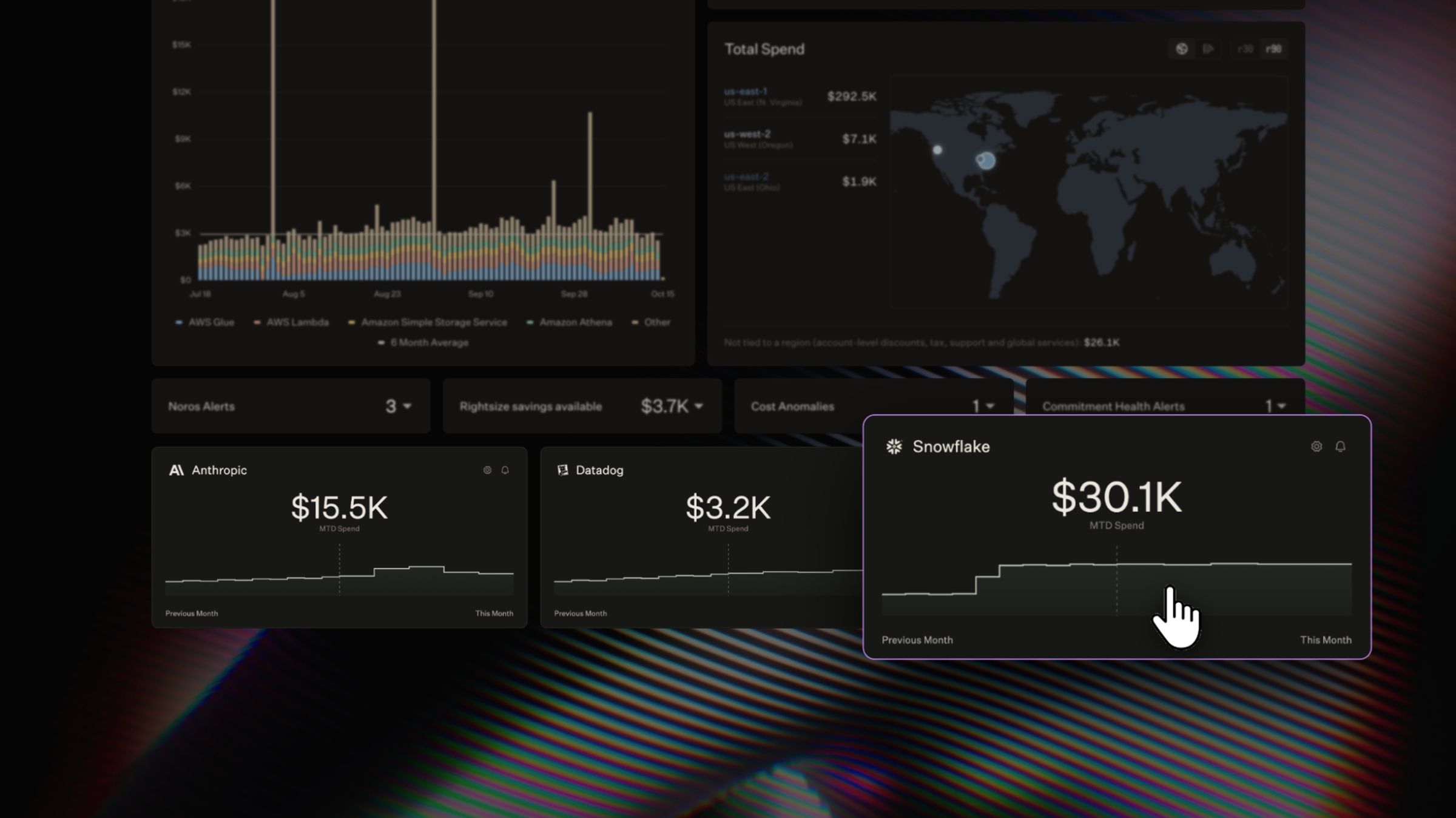
Snowflake is often the largest cost a data team runs. It’s billed separately from that team’s cloud spend, even when one drives the other.
A pipeline that loads files from Amazon Web Services (AWS) Simple Storage Service (S3) is a common example. The files are stored in AWS, and loading them into Snowflake consumes credits. When those files multiply, the Snowflake bill climbs, though the cause starts in AWS.
When leadership asks what the team spends, the answer lives in two places. Pulling one number together usually means a spreadsheet or a separate tool. Even then, a total won’t show which side of the bill drove a change.
Today, North shows Snowflake spend next to your cloud and AI costs. You can analyze, allocate, and forecast it, so decisions rest on the team’s full cost.
Where Snowflake spend gets hard to manage
Snowflake’s built-in cost tools give data engineers a clear view of their usage. The gaps appear once that spend needs to reach finance and leadership.
- Each team sees a different slice. Data engineers work in Snowflake’s console, while finance sees the invoice. FinOps tracks cloud spend in another tool, so nobody works from one number.
- Renewal detail stays in Snowflake. Snowflake marks usage billed at on-demand rates as Overage. That detail rarely reaches the people negotiating the next contract.
- Team structure stops at the Snowflake bill. Teams often give each group its own warehouse and tag it. Those tags organize Snowflake spend, but they never meet the team’s cloud allocation.
Decisions about Snowflake range from resizing a warehouse to signing a renewal. Each one needs a number every team involved can trust. Without it, review time goes to reconciling numbers instead of making the call.
How to track Snowflake spend across North
North reads Snowflake’s own billing data and places it beside your cloud and AI spend. That turns a single invoice into spend you can trace, allocate, and forecast. Each feature in North answers a different question about it.
Check this month’s Snowflake spend from your homepage
Snowflake gets its own card on your North homepage, beside your cloud spend. It compares this month’s spend with last month’s, so a rise stands out early. North monitors Snowflake spend automatically, alerting you when it shifts unexpectedly.
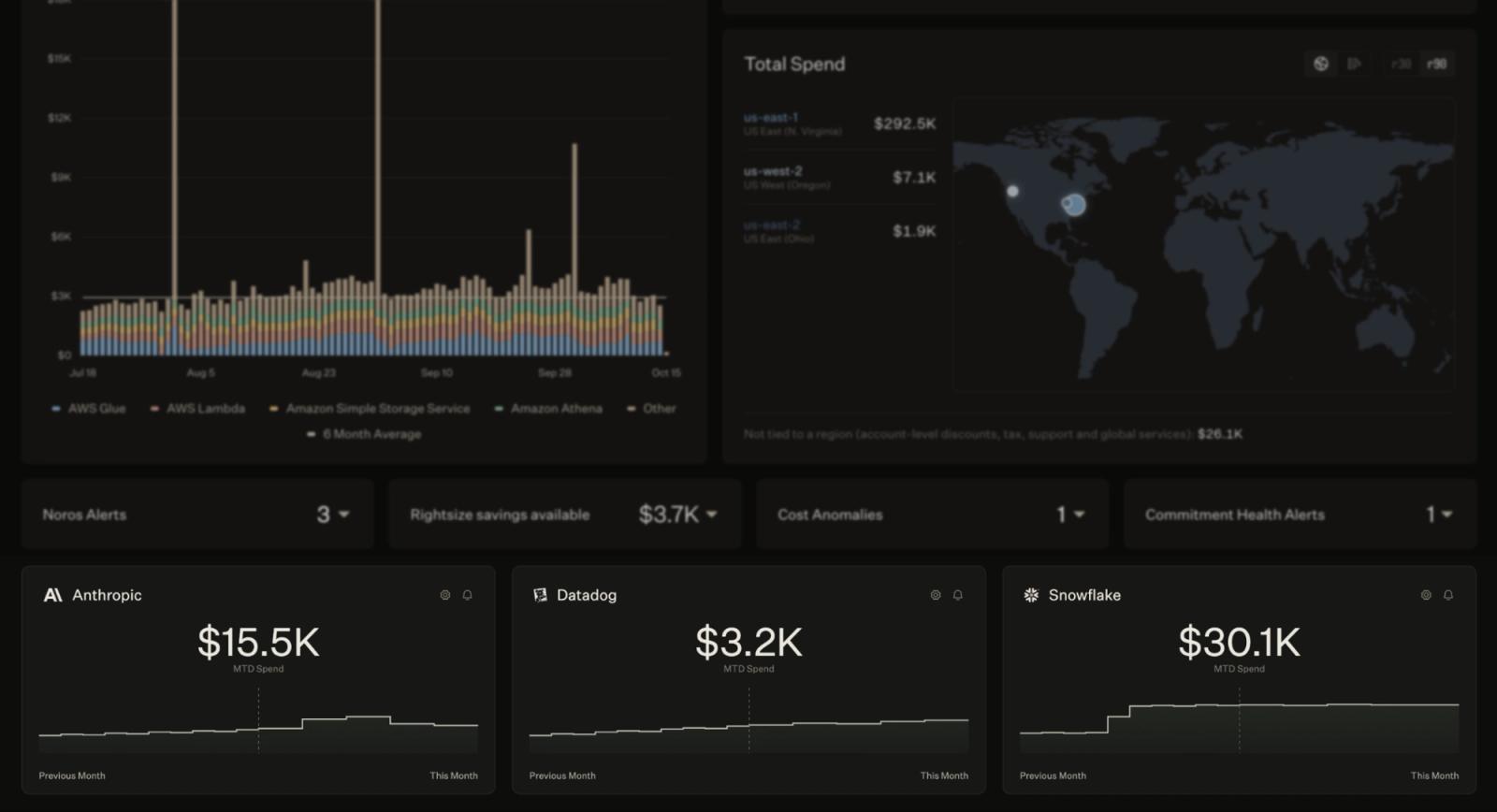
The North homepage shows Snowflake month-to-date spend beside AI and observability costs.
Allocate Snowflake spend to the teams that use it
Snowflake and cloud spend can be allocated together in Coststreams, North’s cost allocation tool. Split by provider, then by service, to see Snowflake’s own billing categories. From there, Snowflake spend splits further by:
- Usage type, to separate compute, cloud services, and storage. An Overage prefix marks usage billed at on-demand rates.
- Pricing term, to see what was billed as Committed or Standard, or paid with free or rebate credits.
- Record type, to separate usage from adjustments and purchases, so one-time charges don’t blur the trend.
- Warehouse, to trace compute back to the warehouse behind it.
- Tags, to group spend by the warehouse and database tags your teams already use.
You can then assign Snowflake spend to a Business Unit (BU), along with that team’s cloud spend. Each BU tracks both against a single budget. Its showback statement shows the team’s leader exactly what they spent across both.
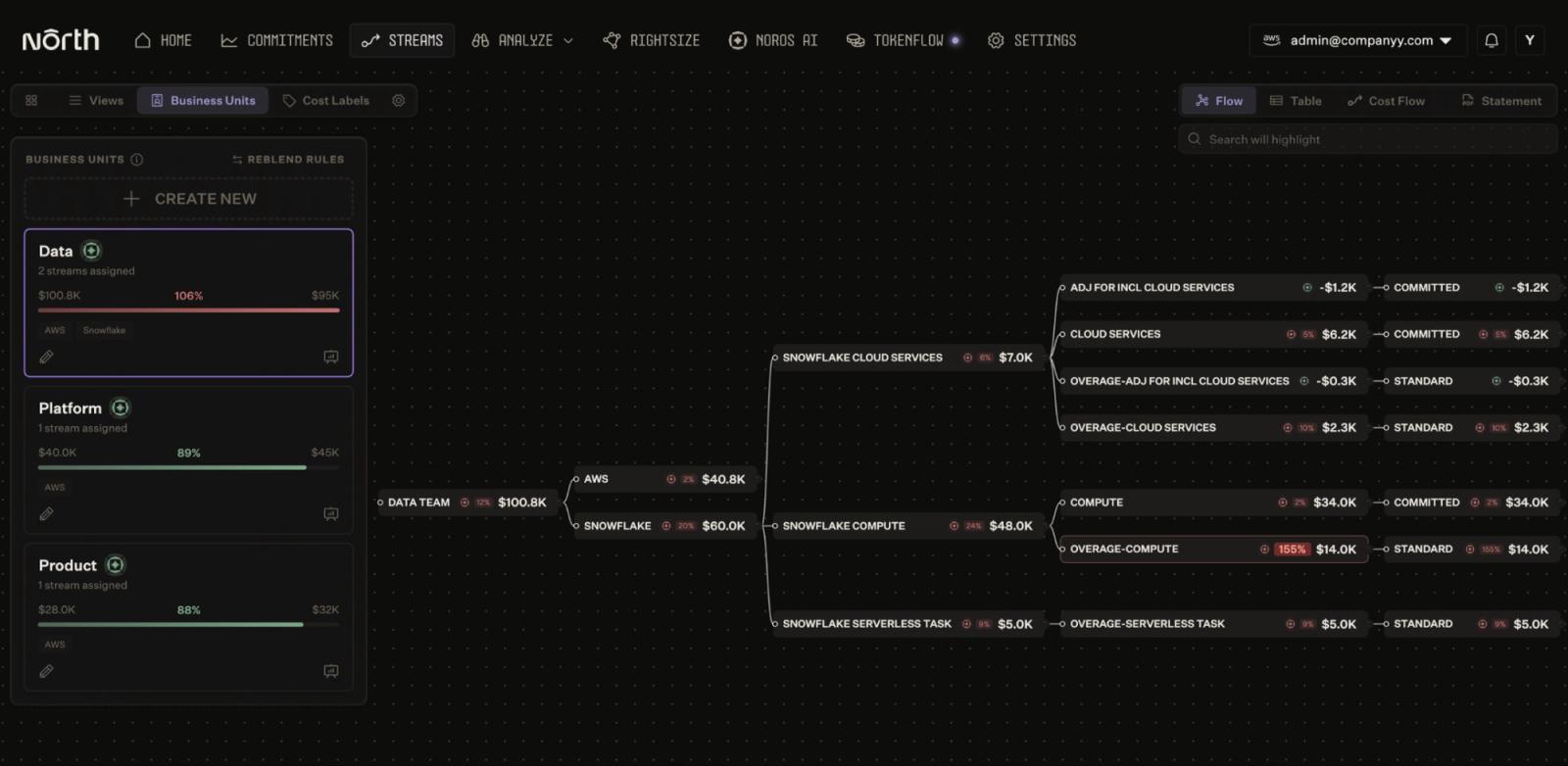
In North’s Coststreams, one business unit holds AWS and Snowflake spend, split down to Overage.
Compare and forecast Snowflake spend beside cloud
To see when a change in Snowflake spend started, open it in Analyze. Splitting by provider, then by service, separates Snowflake from AWS on one chart. Comparing two months side by side shows whether an increase is new or normal.
Analyze also forecasts Snowflake and cloud spend together, so next quarter’s budget covers both.
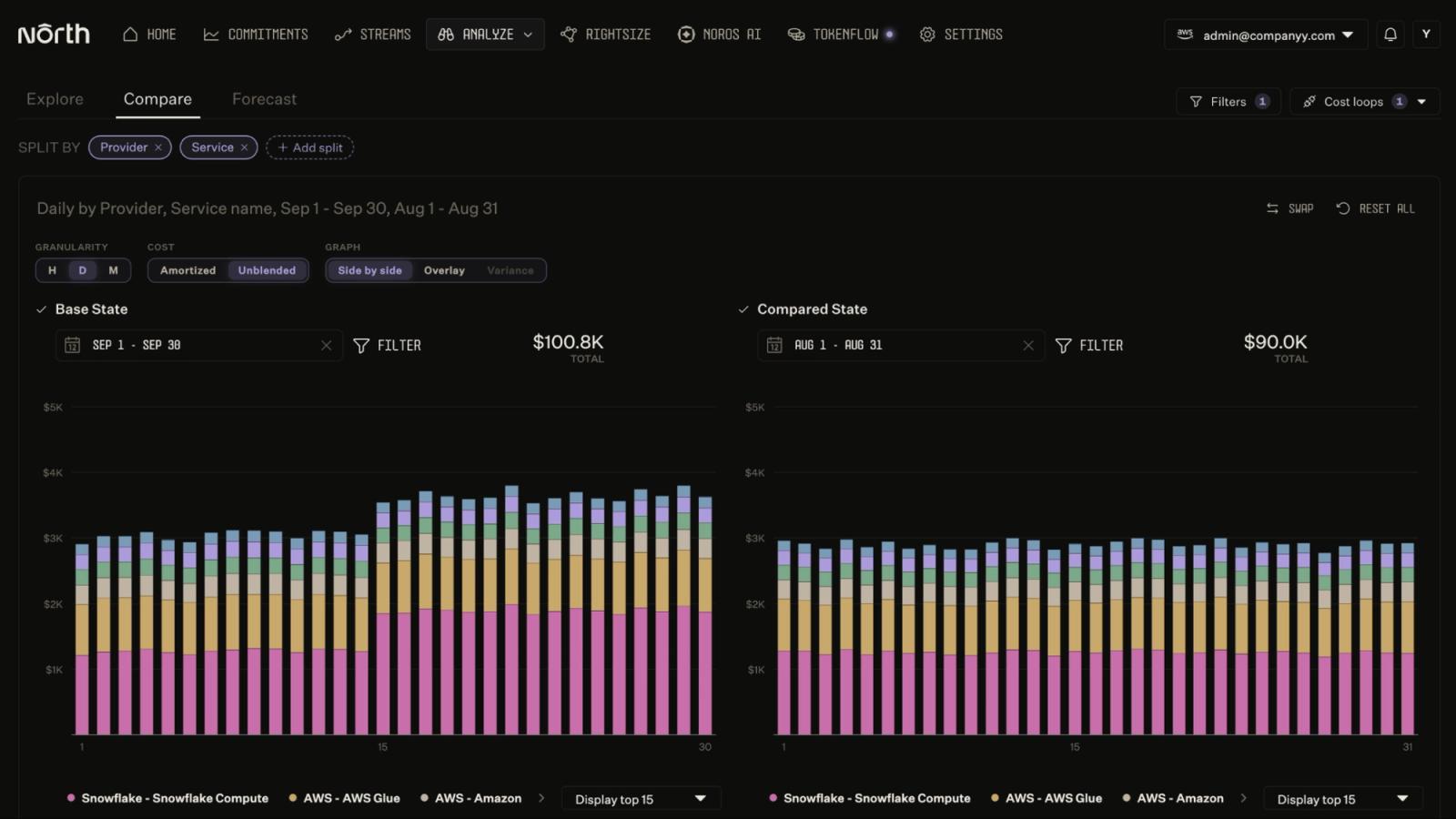
Inside the North app, Analyze shows Snowflake Compute rising mid-September, beside AWS spend.
Ask about Snowflake spend in plain language
Noros, North’s FinOps Agent, answers questions about Snowflake the same way it answers them about cloud. Ask something like “Show my Snowflake cost by service,” and Noros returns the breakdown.
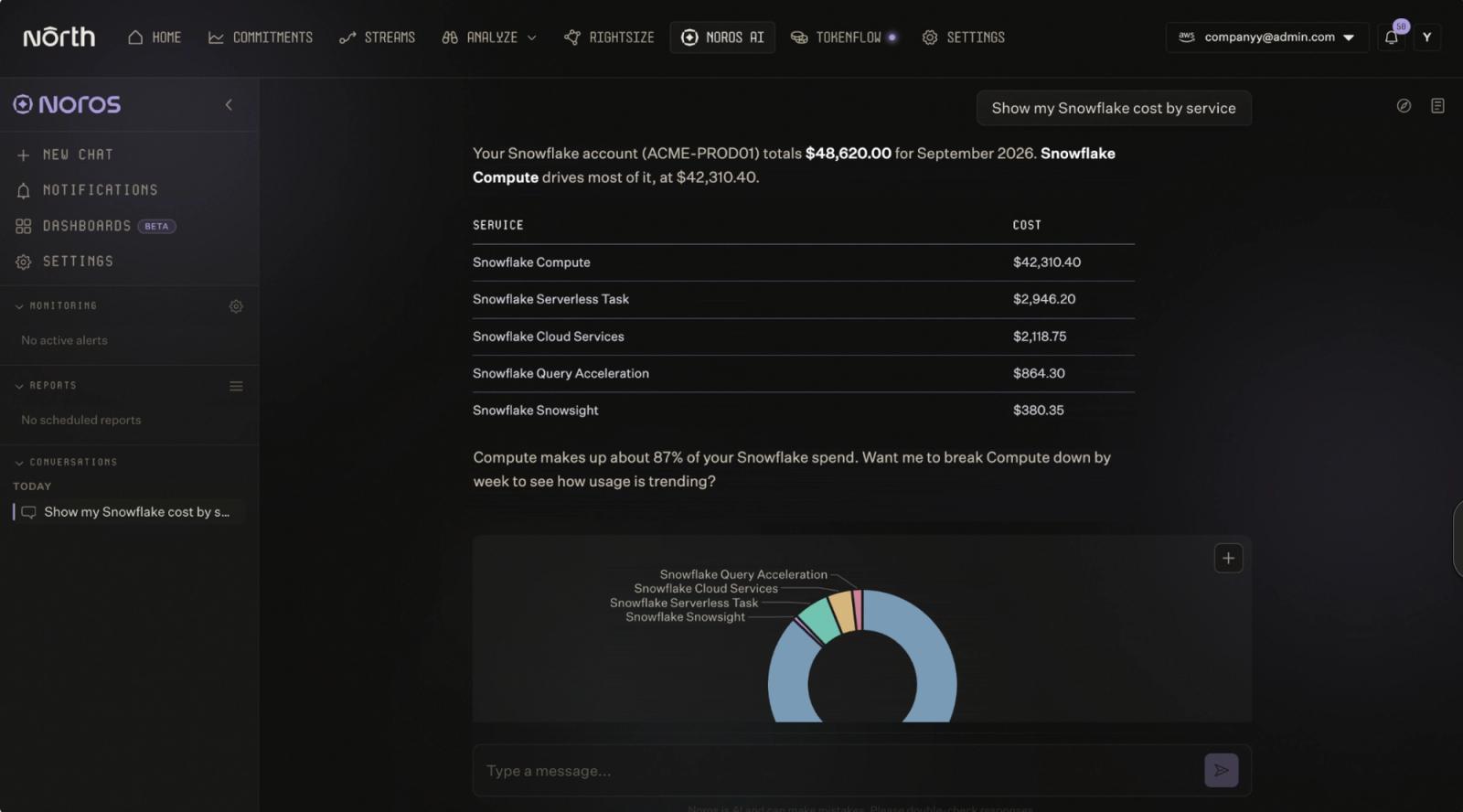
Noros breaks down Snowflake spend by service inside the North app.
How North connects to Snowflake
Connecting Snowflake takes one setup script, run once by a Snowflake admin. North then reads cost and usage through a dedicated, read-only service user.
That connection is built so sensitive data stays in Snowflake:
- Read-only access. North reads usage and cost from Snowflake and never changes anything in your account.
- No query text or user names. North sees what a workload cost, but not the SQL behind it or who ran it.
- Restricted network access. The North service user can only connect from North’s IP addresses. Your own users and admins are unaffected.
The Snowflake setup guide walks through each step, including everything the script creates.
What’s next
Snowflake is part of a growing set of platforms North connects to. Databricks and MongoDB Atlas are next, so their spend will sit beside your cloud and AI costs too.
If you already use North, try this with your Snowflake spend. In Coststreams, split Snowflake by pricing term and look for Overage compute. That number is a strong starting point for your next renewal conversation.
North’s free tier includes full visibility into Snowflake, alongside your cloud and AI spend. Explore North’s free tier to see what your team’s data cost looks like.