Introducing new Streams features: Mass Actions, Reblend, and Margins
Run bulk operations across streams, redistribute committed savings across business units, and apply markup directly inside Streams without rebuilding logic in spreadsheets.

If you manage cloud costs across multiple customers, business units, or reseller agreements, you know how quickly the complexity adds up. Today, we're launching three new features in Streams built for exactly that: Mass Actions, Reblend, and Margins.
Together they make Streams more flexible for teams managing complex cost structures, especially resellers and internal chargeback organizations. Mass Actions reduces the click work involved in managing streams at scale. Reblend and Margins extend Streams into reseller and chargeback workflows that previously required exports, spreadsheets, and manual invoicing.
These updates are designed for teams who allocate, reallocate, and bill for cloud costs across business units, customers, or internal cost centers.
Built for how teams allocate cloud cost
Coststreams is North's cost allocation engine. It lets teams take raw cloud spend and shape it into the structure their business runs on: business units, products, customers, environments, cost centers, or any other dimension that matters for reporting and chargeback.
Instead of forcing finance and engineering to reconcile cloud bills against spreadsheets every month, Streams turns allocation into a live, rules-based workflow. You define how costs should flow, and Streams applies that logic continuously as new usage data comes in.
This release extends Coststreams to handle the messier realities of allocation, such as:
- Bulk edits across hundreds of streams
- Uneven shared commitment usage across business units
- Markup logic for profit centers
Mass Actions: Bulk operations across Streams
Mass Actions lets you apply changes to multiple streams at once instead of editing each one individually.
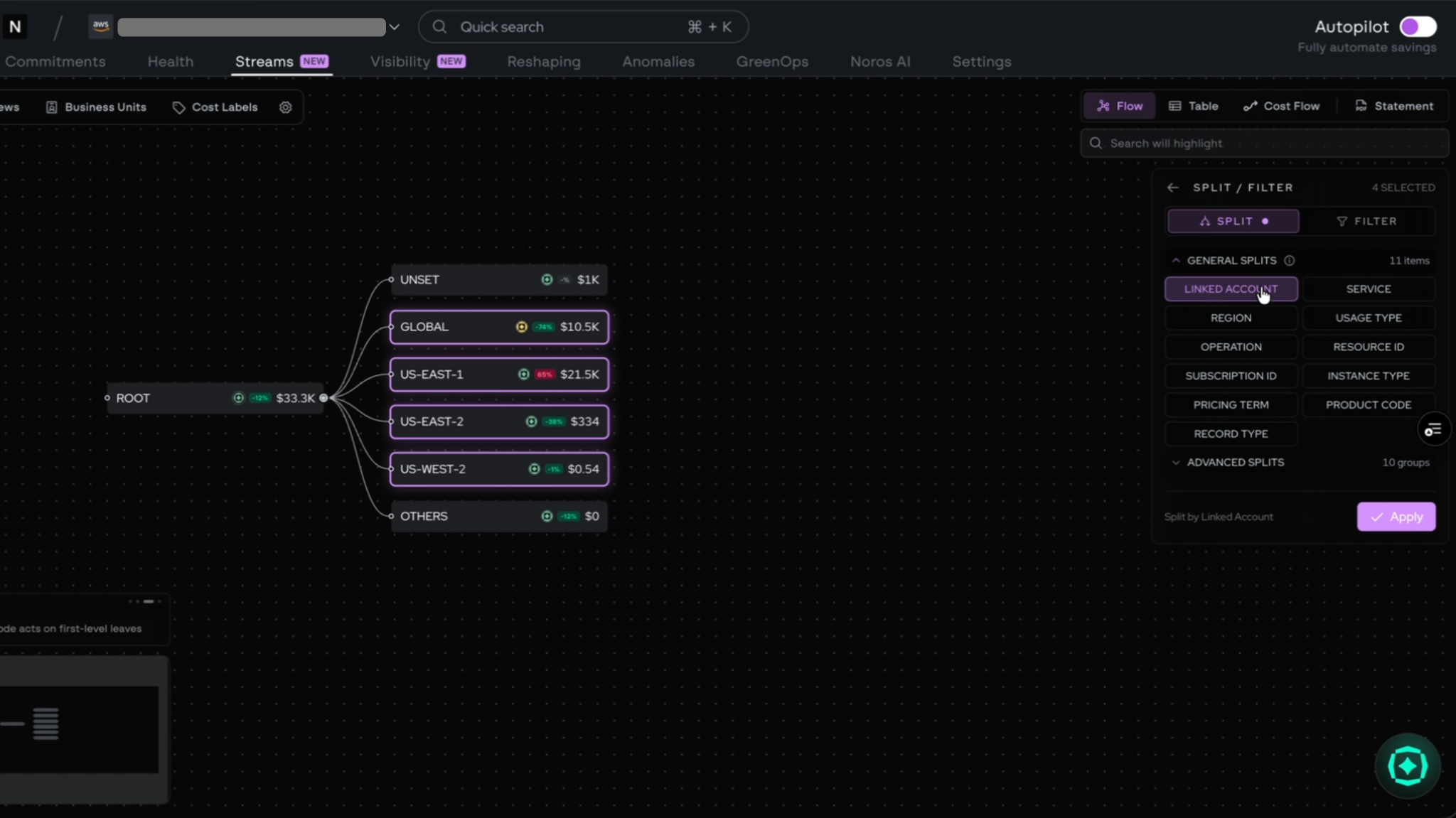
For teams with a handful of streams, this is a convenience. For resellers and large organizations running dozens or hundreds of streams across customers, business units, or environments, it's a meaningful time saver.
You can select streams in bulk and apply updates in a single action, keeping configurations consistent without the click-by-click overhead.
Reblend: Redistribute commitment savings across business units
Engineering organizations often run large EC2 instances that serve multiple teams simultaneously. A single high-memory instance might power both the platform team's infrastructure jobs and the data team's processing pipelines, with no clean way to separate who is consuming what at the resource level.
In that scenario, most cost allocation tools default to assigning the full cost to whichever business unit the resource is tagged to, or split it evenly regardless of actual consumption. Neither option reflects reality, and both tend to create disputes at month end.
Reblend solves this by letting teams redistribute costs by weight, or by any logic that fits the business. If the infrastructure team knowingly consumes the majority of that shared instance, the allocation can reflect it directly: 70% to infrastructure, 30% to the data team. The split is defined by the team, not inferred from tagging.
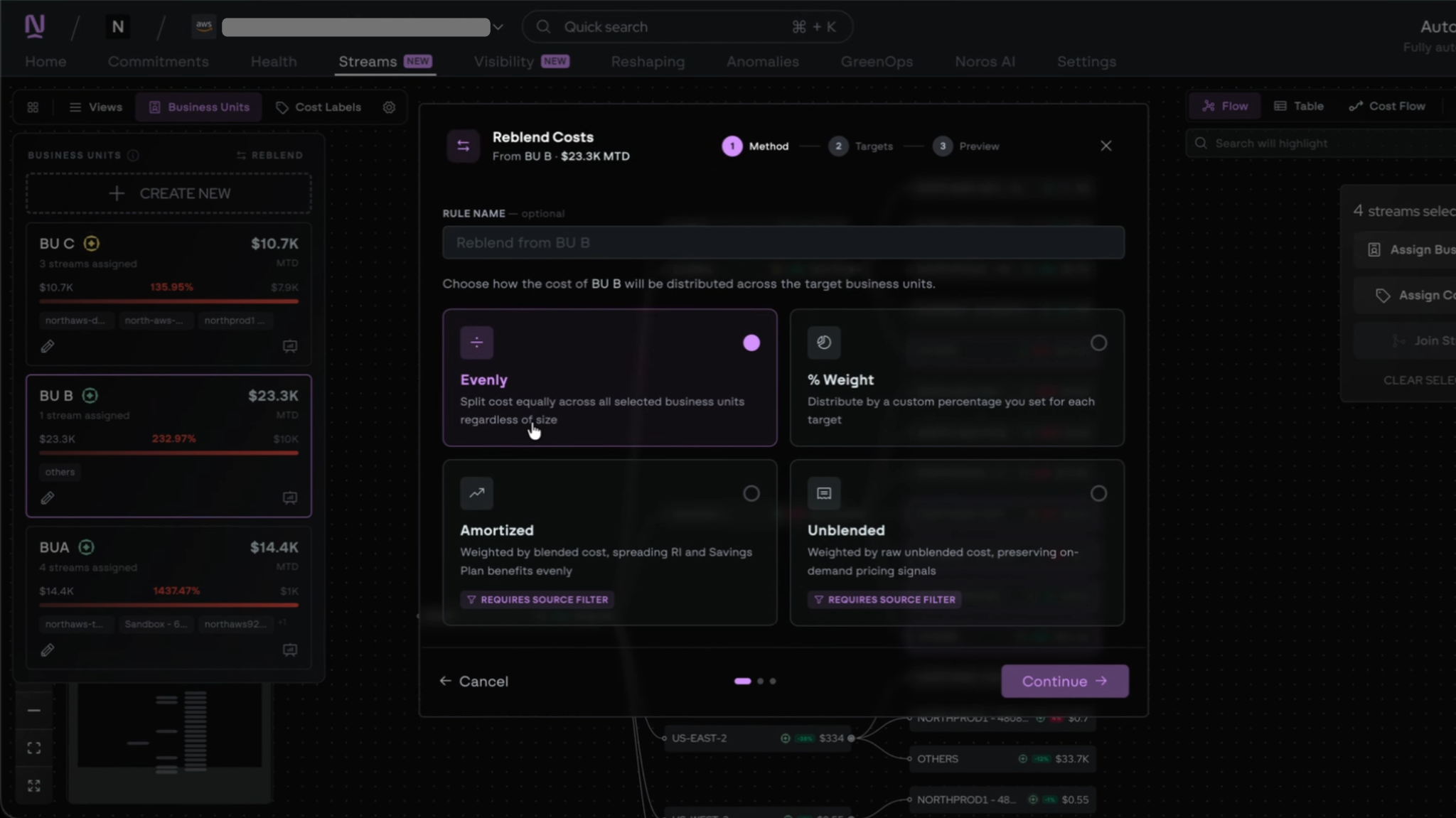
Here’s how it works:
- You create business units inside Coststreams
- You define how committed-use savings should flow between them
- Reblend handles the reallocation as new usage data comes in
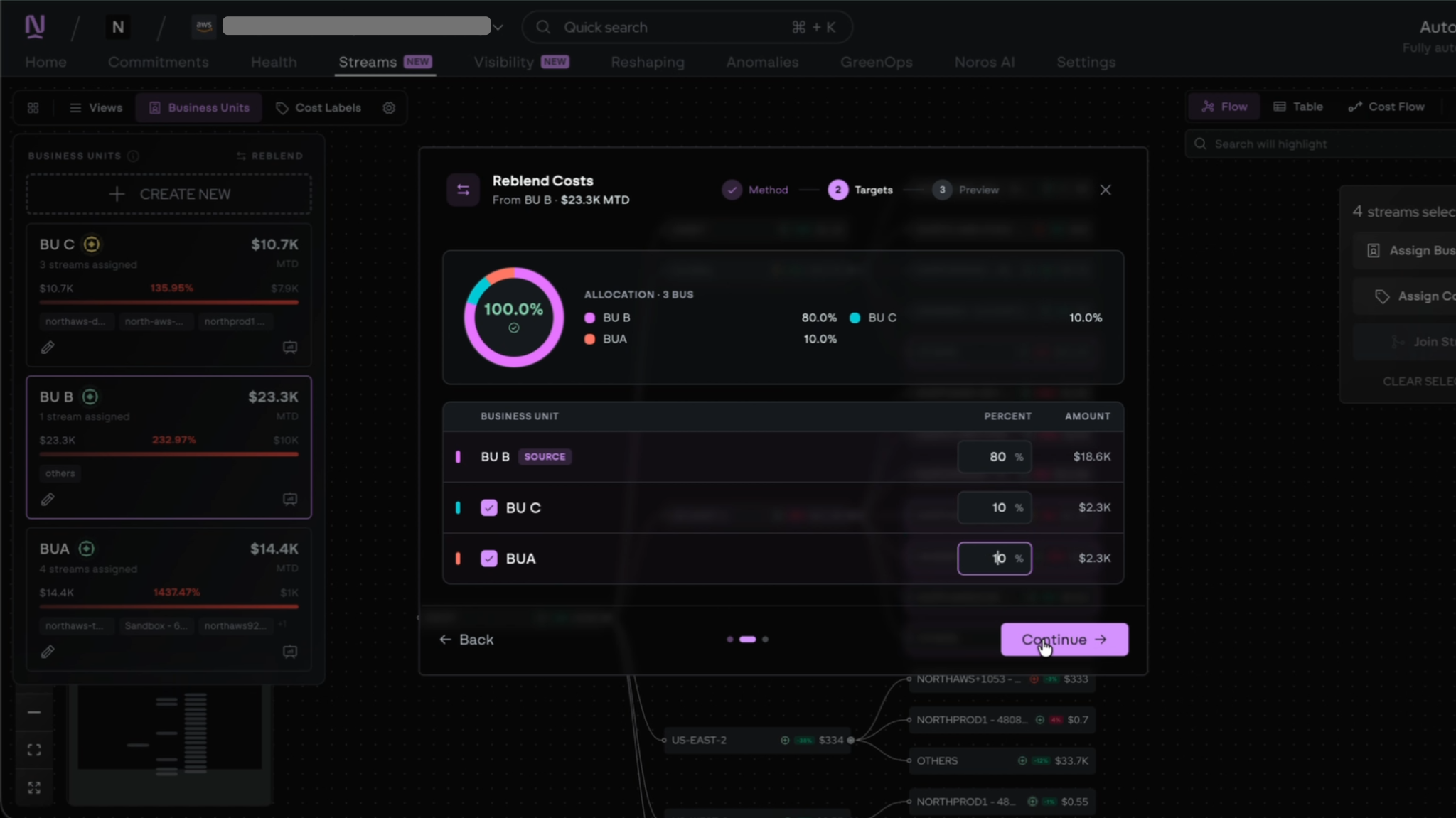
This is useful for any organization passing committed savings through to downstream customers or internal business units where the underlying usage doesn't match how you want the savings to land.
Margins: Percentage markup for profit centers
Margins lets you apply a percentage markup on top of cost directly inside Streams.
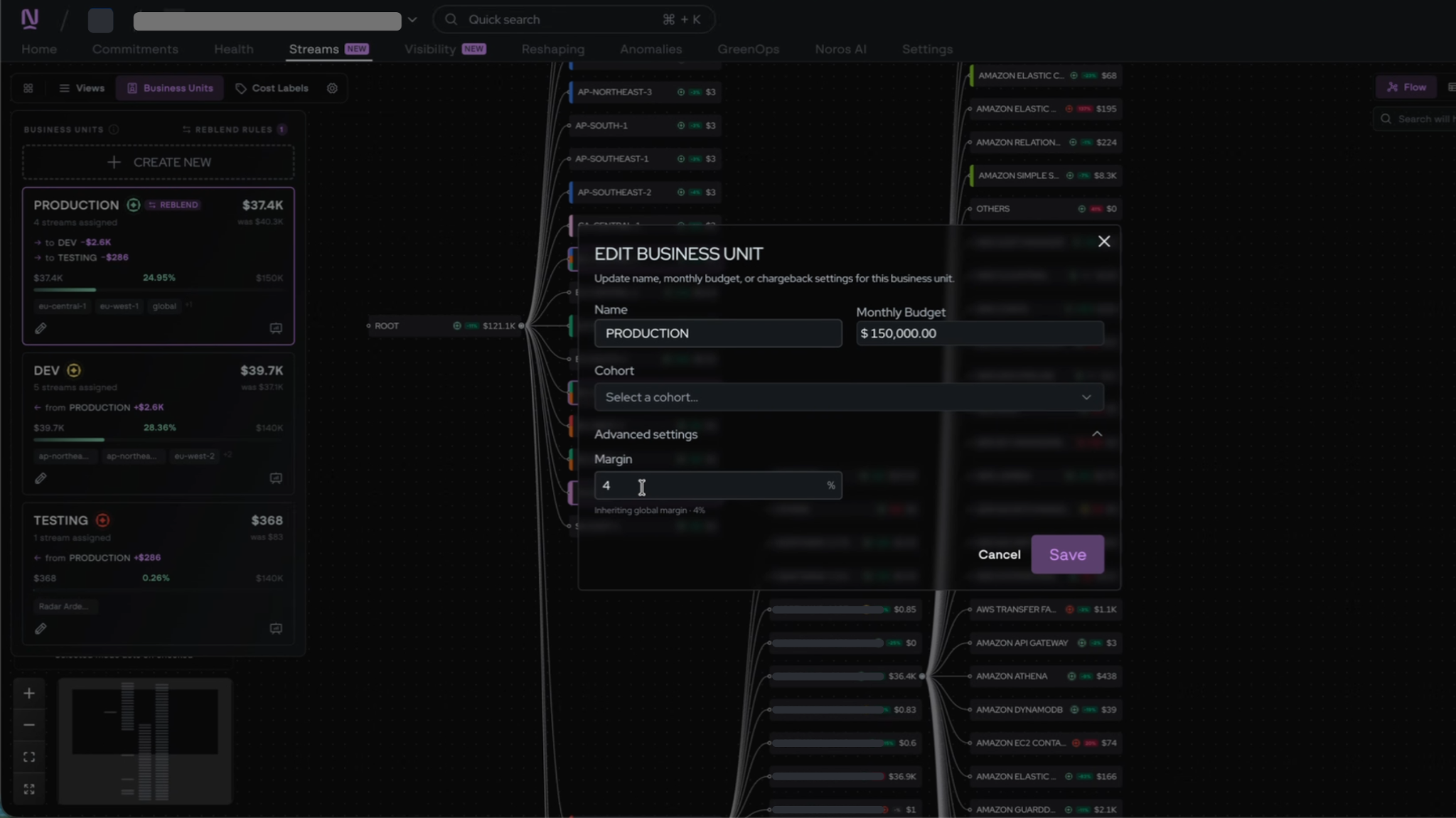
Two common use cases:
- Internal IT departments that operate as profit centers: They buy cloud and software centrally and charge other business units with a markup. Margins keeps the cost basis and the markup in one view, so the chargeback logic is transparent and easy to update.
- External consulting and managed services companies: They host customers on their own cloud and add margin to the bill. Margins removes the need to calculate markup in a spreadsheet and reconcile it back to actual usage every billing cycle.
In both cases, the goal is the same: keep cost plus markup in one place inside Streams instead of stitching it together externally.
Designed for resellers, MSPs, and chargeback teams
Resellers and MSPs can use Reblend to handle commitment redistribution fairly across customers, Margins to apply consistent markup, and Mass Actions to manage large stream portfolios without the manual overhead.
Internal IT and platform teams running chargeback models can use Margins to operate as profit centers transparently, with the cost basis and markup visible in the same view their business unit consumers see.
Because everything lives in Coststreams, your allocation, redistribution, and markup stay connected to the underlying cost data. There is no separate spreadsheet to maintain and no reconciliation step at the end of the month.
Get started with the new features
Head to the Streams tab in the North app to try Mass Actions, Reblend, and Margins. You can apply markup to existing streams, set up Reblend across business units, and run bulk operations across your stream portfolio.
This release continues to make Coststreams the place where cost allocation happens, end to end.

Related article
.png)
Book a demo
Get started in as little as 5 minutes with no long-term contracts or lock-ins. Pay month-to-month and stay flexible.

Make your cloud work smarter today
Get started in as little as 5 minutes with no long-term contracts or lock-ins. Pay month-to-month and stay flexible.


